


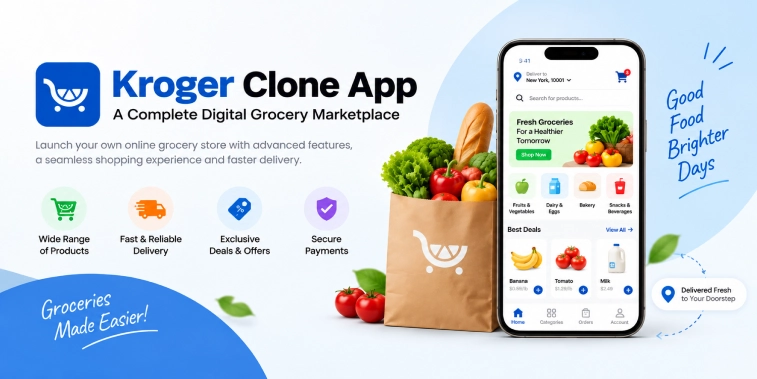
Introduction
The grocery industry is rapidly moving toward digital shopping, giving businesses new opportunities to connect customers with groceries through mobile apps and online marketplaces. Customers increasingly expect convenient product discovery, digital payments, flexible delivery and pickup options, personalized offers, and reliable order management.
A Kroger Clone App provides a ready-to-customize foundation for building a digital grocery marketplace inspired by the convenience and functionality of large grocery platforms. Instead of creating every component from scratch, entrepreneurs can develop a grocery shopping ecosystem with customer-facing apps, store or seller management tools, delivery management, and an admin dashboard.
Kroger itself supports several digital shopping methods, including online ordering for pickup, delivery, and shipping, while its mobile app provides features such as digital coupons, shopping lists, personalized savings, and loyalty-related functionality.
For entrepreneurs, the broader opportunity is not simply to copy an existing grocery platform. The goal is to create a scalable digital grocery marketplace adapted to a specific market, customer group, product catalog, and business model.
What Is a Kroger Clone App?
A Kroger Clone App is a customizable grocery delivery and marketplace application designed around the core functionality of modern digital grocery platforms.
It can allow customers to:
- Browse grocery products
- Search by category or keyword
- Add products to a shopping cart
- Apply coupons and promotional offers
- Choose delivery or pickup
- Make secure online payments
- Track orders
- Manage addresses
- Reorder frequently purchased products
- Rate products or services
- Receive personalized recommendations
Depending on the business model, the platform can support supermarkets, independent grocery stores, local sellers, delivery partners, or multiple vendors.
A grocery clone app does not have to reproduce every feature of Kroger. Businesses can select the functionality relevant to their market and customize the platform’s branding, user experience, pricing, delivery model, and product categories.
How Does a Kroger Clone App Work?
A digital grocery marketplace generally connects customers, grocery stores or sellers, delivery personnel, and administrators.
The typical process works as follows:
1. Customer Registration
Customers create an account using basic information such as their name, email address, phone number, and delivery location.
The app can also support social sign-in or other convenient authentication methods.
2. Product Discovery
Customers browse grocery categories or search for specific products. Categories may include:
- Fruits and vegetables
- Dairy products
- Bakery items
- Meat and seafood
- Beverages
- Snacks
- Household essentials
- Personal care
- Frozen foods
- Packaged foods
3. Shopping Cart
Customers select products, adjust quantities, review prices, apply available discounts, and proceed to checkout.
4. Delivery or Pickup Selection
The platform can allow users to select between available fulfillment methods.
Kroger’s current digital model demonstrates how pickup and delivery can coexist within an online grocery experience.
5. Payment
Customers complete the order using supported payment methods such as cards, digital wallets, or other locally available payment options.
6. Order Processing
The grocery store or fulfillment team receives the order and begins picking and packing the products.
7. Delivery or Pickup
For delivery orders, the assigned delivery partner collects the order and delivers it to the customer. For pickup orders, customers arrive at the selected location and collect their groceries.
8. Order Completion
Customers receive the order, provide feedback if supported, and can reorder products in the future.
This workflow creates a connected ecosystem where grocery shopping, fulfillment, payment, and delivery are managed digitally.
Essential Features of a Kroger Clone App
The success of a grocery marketplace depends heavily on its feature set. A well-designed platform should provide useful functionality for customers, sellers, delivery partners, and administrators.
Customer Registration and Profiles
Customers should be able to create and manage their profiles easily.
Important profile functions can include:
- Personal information
- Saved addresses
- Payment preferences
- Order history
- Favorite products
- Saved shopping lists
- Notification settings
- Loyalty information
Product Search and Smart Filters
Grocery catalogs can contain thousands of products, making search an important part of the customer experience.
Useful search functionality can include:
- Keyword search
- Category filters
- Brand filters
- Price filters
- Dietary filters
- Availability filters
- Popular products
- Recently purchased products
Grocery Categories
A structured category system helps customers navigate the marketplace quickly.
Businesses can customize categories according to local shopping habits and product availability.
Product Details
Each product page can display:
- Product name
- Images
- Price
- Description
- Brand
- Size or quantity
- Availability
- Discounts
- Customer ratings
- Nutritional information where applicable
Shopping Cart
The cart should provide a clear summary of selected products, quantities, discounts, delivery charges, taxes, and the final order amount.
Digital Coupons and Promotions
Promotional features can improve customer engagement.
Businesses can offer:
- Coupon codes
- Product discounts
- Category promotions
- First-order offers
- Bundle deals
- Limited-time offers
- Personalized discounts
Kroger’s mobile experience includes digital coupons and personalized savings, demonstrating how promotional tools can become part of the digital grocery journey.
Multiple Payment Options
A grocery marketplace can support several payment methods depending on the target market.
Examples include:
- Credit and debit cards
- Digital wallets
- Online banking
- Cash on delivery where appropriate
- Store credit
- Gift cards
Order Tracking
Customers should be able to monitor order progress from confirmation through fulfillment and delivery.
Typical statuses include:
Order Placed → Confirmed → Being Prepared → Ready → Out for Delivery → Delivered
Delivery Scheduling
Customers may want groceries immediately or prefer a scheduled delivery window.
A flexible system can support:
- Same-day delivery
- Scheduled delivery
- Time slots
- Express delivery
- Location-based availability
Kroger currently provides scheduled and same-day delivery options in supported markets, although exact services and availability vary by location.
Pickup Management
Pickup can be an important part of a digital grocery marketplace.
Customers can select a store, choose an available time slot, place their order, and collect the groceries when they arrive.
Features for Grocery Stores and Sellers
A multi-vendor Kroger-style marketplace can provide dedicated tools for participating grocery businesses.
Seller Registration
Stores can submit their business details and required information for approval.
Product Management
Sellers can add and manage:
- Product names
- Images
- Prices
- Stock quantities
- Categories
- Discounts
- Product descriptions
Inventory Management
Real-time inventory management helps businesses reduce problems caused by unavailable products.
The system can provide stock alerts and automatically update product availability.
Order Management
Store managers can view incoming orders, accept them, prepare products, update order status, and manage substitutions when required.
Sales Reports
Sellers can access information about:
- Orders
- Revenue
- Popular products
- Customer activity
- Discounts
- Product performance
These insights can help stores improve their digital operations.
Delivery Partner Features
If the business operates its own delivery network, a dedicated delivery partner application can manage the fulfillment process.
Important features include:
- Driver registration
- Profile management
- Availability status
- Order acceptance
- Pickup details
- Navigation
- Delivery status updates
- Earnings information
- Delivery history
- Customer contact options
- Notifications
GPS and mapping integrations can help delivery partners navigate efficiently.
Admin Dashboard Features
The admin dashboard provides centralized control over the grocery marketplace.
Administrators can manage:
User Management
Admins can review and manage customer accounts, store accounts, and delivery partners.
Store Management
The dashboard can approve stores, manage store profiles, monitor activity, and control marketplace participation.
Product and Category Management
Administrators can create categories, manage products, moderate listings, and maintain catalog standards.
Order Management
Admins can monitor orders and resolve fulfillment issues.
Payment Management
The system can track payments, refunds, commissions, fees, and transaction records.
Promotions
Admins can create and manage coupons, discounts, promotional campaigns, and featured products.
Analytics
A detailed dashboard can provide insights into:
- Total orders
- Revenue
- Customer growth
- Store performance
- Delivery performance
- Most popular products
- Repeat purchases
- Average order value
These analytics can help businesses make data-driven decisions.
Advanced Features for a Digital Grocery Marketplace
Beyond essential functionality, advanced features can make a grocery platform more convenient and competitive.
Personalized Recommendations
The platform can analyze browsing and purchase patterns to suggest relevant products.
For example, customers who frequently purchase breakfast items could receive recommendations for related products.
Smart Shopping Lists
Customers can create recurring grocery lists and quickly add frequently purchased products to their carts.
Reorder Functionality
A one-click reorder feature can make repeat grocery shopping faster.
Product Substitutions
If an item becomes unavailable, customers can select preferred replacement products or allow the store to suggest alternatives.
Loyalty and Rewards
A loyalty system can reward customers for repeat purchases.
Possible rewards include:
- Points
- Discounts
- Cashback
- Special offers
- Membership benefits
Subscription Plans
Businesses can introduce membership plans offering benefits such as delivery discounts, exclusive deals, or additional rewards.
Multi-Store Shopping
Depending on the marketplace model, customers can compare products and availability across participating stores.
Real-Time Notifications
Push notifications can inform users about:
- Order confirmation
- Product substitutions
- Delivery updates
- Promotions
- Payment status
- Order completion
How AI Can Improve a Kroger Clone App
Artificial intelligence can add personalization and automation to a digital grocery marketplace.
AI Product Recommendations
AI can analyze customer behavior and recommend relevant products based on purchase history and preferences.
AI-Powered Search
Natural-language search can help customers find products using conversational queries rather than exact product names.
Demand Forecasting
AI can analyze historical sales patterns to estimate future demand.
This can help businesses plan inventory and reduce overstocking or stockouts.
Personalized Promotions
AI can help identify customer segments and deliver more relevant promotional offers.
Intelligent Substitutions
When a product is unavailable, AI can recommend suitable alternatives based on category, price, brand, size, or customer preferences.
Customer Support Automation
AI-powered assistants can answer common questions about orders, products, delivery, payments, and store policies.
Fraud and Anomaly Detection
Machine-learning systems can help identify unusual transaction or account activity and send alerts for further review.
AI should complement the grocery platform rather than replace essential human oversight, especially for inventory, customer support, and fulfillment operations.
Kroger Clone App Business Model
A digital grocery marketplace can operate through different business models depending on whether the platform owns inventory or connects multiple stores.
Single-Store Model
The platform represents one grocery business and allows customers to order products online.
This model provides greater control over inventory, pricing, fulfillment, and customer experience.
Multi-Vendor Marketplace
Multiple grocery stores or sellers can join the platform.
The marketplace manages customer acquisition, ordering, payments, and potentially delivery while participating sellers fulfill orders.
Grocery Delivery Model
The business focuses primarily on online grocery ordering and delivery.
Customers place orders through the app, while the platform manages fulfillment and logistics.
Hybrid Model
A business can combine physical stores, online ordering, pickup, delivery, and shipped products.
This approach allows customers to choose how they receive their groceries.
Commission
The platform can charge participating stores a commission on completed orders.
Delivery Fees
Customers can pay a delivery fee based on distance, order size, delivery speed, or selected time slot.
Subscription Plans
Membership programs can provide benefits such as discounted delivery, special offers, or loyalty rewards in exchange for a recurring fee.
Featured Listings
Grocery stores and brands can pay for additional visibility within the marketplace.
Advertising
Brands can purchase advertising placements to promote products to relevant customers.
Premium Seller Plans
The marketplace can offer premium plans to sellers with additional analytics, promotional tools, or enhanced visibility.
Convenience or Service Fees
Depending on the market and local regulations, the platform can charge additional service fees associated with online ordering or fulfillment.
Using multiple revenue streams can reduce dependence on a single source of income.
How to Build a Kroger Clone App
Building a grocery marketplace requires both business planning and technical execution.
Step 1: Define the Business Model
Decide whether the platform will be:
- Single-store
- Multi-vendor
- Delivery-focused
- Pickup-focused
- Hybrid
Step 2: Identify the Target Market
Research customer needs, grocery categories, competitors, delivery expectations, and local shopping behavior.
Step 3: Plan the Core Features
Create separate feature requirements for customers, sellers, delivery partners, and administrators.
Step 4: Design the User Experience
The interface should make product discovery, cart management, checkout, and order tracking simple.
Step 5: Select the Technology
A scalable technology architecture can include:
- Mobile applications
- Web application
- Backend services
- Database
- Cloud infrastructure
- Payment gateway
- Maps and location services
- Push notification services
- Analytics tools
Step 6: Integrate Third-Party Services
Depending on the platform, integrations may include payment gateways, mapping services, SMS providers, email systems, analytics platforms, and delivery services.
Step 7: Develop and Test
The application should be tested for usability, performance, security, payment processing, inventory synchronization, and order management.
Step 8: Launch and Improve
After launch, monitor customer behavior, store performance, delivery efficiency, reviews, and conversion rates. Use this data to improve the platform over time.
Technology Considerations for a Kroger Clone App
A scalable architecture is important because grocery marketplaces can experience large product catalogs, frequent inventory changes, and high order volumes.
Important considerations include:
Scalability
The infrastructure should be able to support increasing customers, stores, products, and transactions.
Security
Customer accounts, payment information, and business data should be protected using appropriate security practices.
Performance
Fast search, smooth checkout, and responsive order tracking can improve the user experience.
Real-Time Data
Inventory, order status, delivery status, and product availability may need frequent updates.
API Integrations
Well-designed APIs make it easier to connect payments, maps, notifications, analytics, and external services.
Data Analytics
Analytics can help businesses understand purchasing behavior and operational performance.
Future Scope of Digital Grocery Marketplaces
Digital grocery platforms are continuing to evolve toward more flexible and personalized shopping experiences.
Future development can focus on:
- AI-powered shopping assistants
- Voice-enabled grocery search
- Smarter product recommendations
- Automated inventory forecasting
- Personalized promotions
- Faster fulfillment
- Advanced delivery tracking
- Omnichannel shopping
- Digital loyalty programs
- Automated customer support
Kroger’s recent e-commerce strategy highlights the continued importance of combining physical stores, digital ordering, automation, and third-party fulfillment to provide multiple ways for customers to shop.
For entrepreneurs, this suggests that the opportunity is broader than creating a simple grocery delivery app. A modern platform can become a complete digital grocery ecosystem connecting customers, stores, brands, fulfillment operations, and delivery services.
Conclusion
A Kroger Clone App can provide a strong foundation for entrepreneurs planning to enter the digital grocery market. By combining product discovery, online ordering, digital payments, pickup, delivery, inventory management, promotions, loyalty, and analytics, businesses can create a convenient grocery shopping ecosystem.
The most important factor is not copying another grocery platform feature by feature. Instead, businesses should customize the application according to their target market, operational model, customer expectations, and revenue strategy.
With scalable technology, a user-friendly interface, secure transactions, reliable fulfillment, and intelligent personalization, a grocery marketplace can support both customer convenience and long-term business growth.
Frequently Asked Questions (FAQs)
1. What is a Kroger Clone App?
A Kroger Clone App is a customizable digital grocery marketplace designed with features such as product browsing, online ordering, digital payments, delivery, pickup, promotions, order tracking, and grocery store management.
2. What features should a Kroger Clone App include?
Important features include product search, categories, shopping cart, secure payments, digital coupons, delivery scheduling, pickup management, order tracking, inventory management, notifications, loyalty programs, analytics, and admin controls.
3. How does a Kroger Clone App make money?
A grocery marketplace can generate revenue through store commissions, delivery fees, subscription plans, featured listings, advertising, premium seller plans, and service or convenience fees.
4. Can a Kroger Clone App support multiple grocery stores?
Yes. A customizable marketplace can support multiple grocery stores or sellers. Each seller can manage products, inventory, orders, pricing, promotions, and other business information through a dedicated dashboard.
5. Can AI be integrated into a Kroger Clone App?
Yes. AI can support personalized product recommendations, smart search, demand forecasting, intelligent substitutions, personalized promotions, automated customer support, and other grocery marketplace functions.

Parth Kulkarni
Managing Director
Parth Kulkarni is the Managing Director with strong expertise in IT and on-demand app solutions, focused on empowering startups and enterprises with scalable digital products. His strategic leadership and business insight drive innovation, ensuring consistent client success and long-term growth.
