

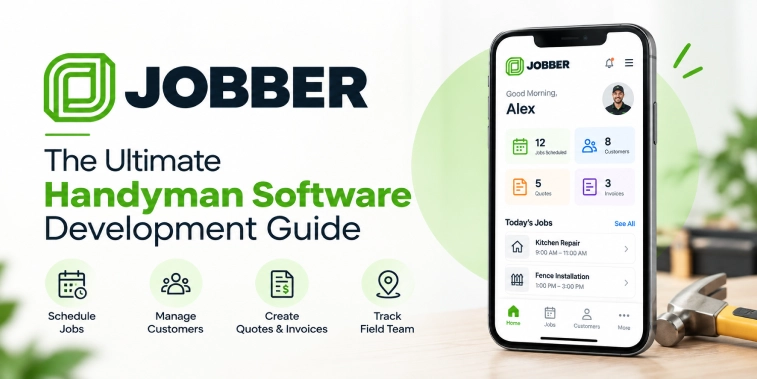
Introduction
The home service industry is becoming increasingly digital, with customers expecting faster booking, transparent pricing, convenient communication, and reliable service management. At the same time, handymen and home service businesses need better tools to manage customers, schedules, estimates, invoices, payments, employees, and daily operations.
Jobber is known as a field service management platform that brings several of these business activities together. A Jobber-style handyman software solution can provide a centralized system for managing home service operations through web and mobile applications.
Businesses developing their own handyman software can customize the platform around their service categories, target customers, pricing model, geographic market, workforce structure, and operational requirements.
This guide explains the core functionality of handyman software, how a Jobber-style platform works, important customer and service-provider features, AI opportunities, scheduling, estimates, invoicing, payments, technology integrations, security, development processes, cost factors, and future possibilities.
What Is Jobber-Style Handyman Software?
Jobber-style handyman software is a digital field service management solution designed to help home service businesses organize their operations.
Instead of managing customer details, appointments, estimates, invoices, payments, and service records across separate tools, businesses can bring these workflows into one centralized platform.
A handyman software solution can support businesses offering services such as
- General handyman services
- Plumbing
- Electrical work
- Painting
- Carpentry
- Appliance services
- Home maintenance
- Cleaning
- Landscaping
- Repairs
- Installation services
The exact service categories can be customized according to the business model.
A typical platform can include separate interfaces for administrators, service professionals, office staff, and customers.
How Does Handyman Software Work?
A handyman management platform generally connects customer requests with scheduling, field-service operations, billing, and customer communication.
Step 1: Customer Request
A customer submits a service request through a website, mobile application, or supported communication channel.
The request can contain information such as the service category, property details, preferred schedule, and description of the work.
Step 2: Estimate or Quote
The business reviews the request and creates an estimate based on the expected work, materials, labor, and other applicable charges.
Step 3: Customer Approval
The customer can review the estimate and approve it through the platform when the workflow supports online approval.
Step 4: Scheduling
The business assigns an available technician or handyman and schedules the job.
Step 5: Field Service
The assigned professional receives job details and visits the customer’s location.
Step 6: Job Updates
The technician can update job progress, add notes, record relevant information, and communicate status updates.
Step 7: Invoice
After the service is completed, the platform can generate an invoice based on the agreed pricing and actual work.
Step 8: Payment
Customers can pay through supported payment methods.
Step 9: Follow-Up
The business can send receipts, request feedback, schedule recurring services, or follow up with the customer.
This connected workflow can reduce manual administration and provide businesses with better visibility into their service operations.
Key Features of Handyman Software
A complete handyman software solution should support the entire service lifecycle, from customer acquisition to job completion and payment.
Customer Management
A centralized customer management system can store relevant customer and property information.
Businesses can manage:
- Customer profiles
- Contact information
- Service addresses
- Previous jobs
- Estimates
- Invoices
- Payments
- Communication history
- Service notes
A centralized customer record can help service teams understand previous work before handling a new request.
Online Booking
Online booking allows customers to submit service requests without contacting the business manually.
The booking interface can allow customers to:
- Select a service
- Choose a preferred date
- Select an available time
- Enter service details
- Add property information
- Submit a request
The business can configure which services and time slots are available for online booking.
Service Catalog
Businesses can create a structured service catalog.
Each service can include:
- Service name
- Description
- Base price
- Estimated duration
- Service category
- Required skills
- Applicable materials
- Availability
A well-organized catalog can make it easier for customers and staff to identify the correct service.
Estimates and Quotes
Estimates are an important component of handyman software.
Businesses can create detailed quotes containing:
- Labor
- Materials
- Service charges
- Discounts
- Taxes where applicable
- Additional fees
- Total estimated amount
Customers can review the estimate before work begins.
The system can also track whether an estimate is pending, approved, declined, or expired.
Job Management
The job management module provides a centralized view of active and completed work.
Each job can include:
- Customer information
- Service address
- Job description
- Assigned professional
- Schedule
- Job status
- Notes
- Photos
- Materials
- Invoice
- Payment status
This gives office staff and field professionals a shared source of information.
Scheduling and Calendar Management
Scheduling is one of the most important functions of field service software.
A scheduling system can help businesses manage:
- Appointments
- Technician availability
- Job duration
- Service areas
- Recurring appointments
- Rescheduling
- Cancellations
- Emergency requests
A calendar view can help managers understand the workload for individual technicians and teams.
Technician and Handyman Management
The platform can provide individual profiles for service professionals.
Profiles can include:
- Name
- Contact information
- Skills
- Service categories
- Availability
- Assigned jobs
- Performance information
- Work history
Managers can use these profiles to assign suitable professionals to jobs.
Route and Location Management
Location features can help businesses coordinate field operations.
Map functionality can support:
- Customer location
- Technician location
- Service areas
- Route planning
- Navigation
- Travel estimates
For businesses managing multiple technicians, location information can improve scheduling and dispatch decisions.
Mobile App for Handymen
A dedicated technician application can provide access to important job information while professionals are in the field.
Job Dashboard
Technicians can see upcoming, active, and completed jobs.
Job Details
They can access:
- Customer information
- Service address
- Job description
- Special instructions
- Appointment time
- Relevant notes
Status Updates
Technicians can update statuses such as
- Scheduled
- En route
- Started
- In progress
- Completed
Work Notes
Professionals can add notes about completed work, materials used, or additional requirements.
Photo Uploads
Technicians can upload relevant job photos where appropriate.
Customer Communication
The application can support communication between technicians and customers or office staff.
Customer Portal
A customer portal allows customers to manage their service relationship digitally.
Customers can view:
- Upcoming appointments
- Job status
- Estimates
- Approved quotes
- Invoices
- Payment records
- Service history
- Messages
A customer portal can reduce the need for customers to contact the office for routine information.
Invoicing
Automated invoicing can simplify billing after a job is completed.
Invoices can include:
- Service details
- Labor
- Materials
- Discounts
- Taxes
- Fees
- Total amount
- Payment status
Businesses can generate and send invoices digitally.
Online Payments
Payment integration allows customers to pay invoices through supported methods.
Depending on the market, businesses may support:
- Credit and debit cards
- Digital wallets
- Bank payments
- Other supported payment services
The platform should display payment amounts and applicable charges clearly.
Recurring Services
Many home service businesses have recurring customers.
The platform can support recurring appointments for services such as
- Home maintenance
- Cleaning
- Lawn care
- Seasonal maintenance
- Property inspections
- Routine repairs
Businesses can configure recurring schedules according to their operational model.
Notifications and Communication
Communication features can keep customers, technicians, and office staff informed.
Notifications can cover:
- Booking confirmation
- Appointment reminders
- Estimate updates
- Quote approvals
- Technician assignment
- Technician arrival
- Job completion
- Invoice creation
- Payment confirmation
Email, SMS, push notifications, and in-app messaging can be integrated according to business requirements.
Reviews and Customer Feedback
Customer feedback can help businesses monitor service quality.
After a completed job, customers can be invited to provide:
- Ratings
- Reviews
- Service feedback
Businesses can use feedback to identify recurring service issues and improve customer experience.
Admin Dashboard
The admin dashboard acts as the operational control center.
Administrators can manage:
- Customers
- Technicians
- Services
- Jobs
- Estimates
- Invoices
- Payments
- Schedules
- Locations
- Promotions
- Reports
Business Analytics
Reports can provide information about:
- Revenue
- Completed jobs
- Pending jobs
- Technician workload
- Customer acquisition
- Repeat customers
- Average job value
- Outstanding invoices
These insights can help businesses make operational decisions.
AI Features for Handyman Software
Artificial intelligence can add useful automation and decision-support capabilities to field service software.
AI-Powered Job Assignment
AI can analyze factors such as technician skills, availability, location, service type, and workload to suggest suitable assignments.
The final assignment can remain under manager control.
Intelligent Scheduling
AI-based scheduling can identify potential conflicts and suggest appointment arrangements based on available resources.
Customer Support Assistant
An AI assistant can answer common questions about:
- Services
- Booking
- Estimates
- Appointments
- Invoices
- Payments
Complex issues can be transferred to human support.
Automated Estimate Assistance
AI can help organize information from service requests and assist staff in preparing estimates.
Human review remains important before a quote is sent to a customer.
Demand Forecasting
Businesses can analyze historical data to identify periods of higher demand for specific services.
Predictive Maintenance Insights
For businesses handling recurring property maintenance, analytics can help identify patterns that may support proactive service planning.
Review Analysis
AI can summarize customer feedback and identify recurring themes such as scheduling issues, service quality concerns, or positive experiences.
Business Model and Revenue Opportunities
Handyman software can support different business models depending on whether the platform is used internally or operated as a marketplace or SaaS product.
SaaS Subscription
A software company can charge service businesses a recurring subscription for using the platform.
Plans can be structured around:
- Number of technicians
- Number of customers
- Feature availability
- Usage limits
- Advanced reporting
Marketplace Commission
If the platform connects customers with independent service providers, the business can potentially earn a commission on eligible bookings.
Transaction Fees
A platform may charge applicable transaction or service fees where appropriate.
Premium Features
Advanced features such as analytics, automation, AI tools, or additional administrative capabilities can be offered through premium plans.
Enterprise Plans
Larger service companies can be offered customized plans with additional users, integrations, reporting, and support.
Technology and Third-Party Integrations
A modern handyman software platform usually requires several technology components and external integrations.
Payment Integrations
Payment gateways enable secure online transactions and invoice payments.
Maps and Location APIs
Map services support addresses, navigation, service areas, and route-related functionality.
Communication APIs
SMS, email, and notification services can support customer and technician communication.
Calendar Integrations
Calendar integrations can help synchronize appointments with supported scheduling systems.
Accounting Integrations
Accounting integrations can help businesses transfer relevant financial information into supported accounting workflows.
Analytics Tools
Analytics platforms can provide insights into customer behavior, job activity, revenue, and operational performance.
Cloud Infrastructure
Cloud services can support:
- Application hosting
- Databases
- File storage
- Backups
- Monitoring
- Scalability
Security and Data Protection
Handyman software can process customer information, addresses, payment-related information, employee details, job notes, and business data.
Security should therefore be included throughout the platform architecture.
Important measures can include:
- Secure authentication
- Role-based access control
- Encryption
- Secure APIs
- Payment security
- Audit logging
- Data backups
- Monitoring
- Access controls
- Security testing
Businesses should also follow applicable privacy and data-protection requirements in their operating markets.
Benefits of Handyman Software
A centralized software solution can provide benefits for service businesses.
Better Organization
Customer, job, schedule, and payment information can be managed from one system.
Faster Scheduling
Digital scheduling can reduce manual coordination.
Improved Customer Experience
Online booking, estimates, notifications, invoices, and payments can make service interactions more convenient.
Better Technician Coordination
Managers can assign and monitor work more efficiently.
Reduced Administrative Work
Automated workflows can reduce repetitive data entry and communication tasks.
Better Financial Visibility
Invoices, payments, and reports can help businesses monitor revenue and outstanding balances.
Scalable Operations
A centralized platform can support additional technicians, customers, service categories, and locations as the business expands.
Handyman Software Development Process
Developing a Jobber-style platform requires structured planning.
Market and Business Research
Identify the target service businesses, customer needs, service categories, and operational challenges.
Requirement Planning
Define customer, technician, admin, scheduling, billing, and reporting requirements.
UI/UX Design
Create simple interfaces for customers, field professionals, and administrators.
Technology Architecture
Plan the mobile applications, web dashboard, backend, database, APIs, integrations, and security infrastructure.
Development
Develop the customer-facing platform, technician application, administrative dashboard, and backend services.
Integration
Connect payments, maps, communication services, calendars, accounting systems, analytics, and other required services.
Testing
Test:
- Booking
- Scheduling
- Job assignment
- Payments
- Invoicing
- Notifications
- Location functionality
- User permissions
- Performance
- Security
Launch
Release the software to a controlled user group before expanding availability.
Maintenance and Improvements
Continue improving the platform based on user feedback, operational data, technology changes, and business requirements.
Cost Factors in Handyman Software Development
The cost of developing Jobber-style handyman software varies depending on the project’s scope.
Important factors include:
- Number of user applications
- UI/UX complexity
- Customer management
- Scheduling functionality
- Technician management
- Estimate and quote features
- Invoicing
- Payment integration
- Maps and location services
- AI functionality
- Third-party integrations
- Admin dashboard
- Security requirements
- Testing
- Development team location
- Maintenance and support
A basic handyman management application will generally require fewer development resources than a large platform with advanced scheduling, AI, accounting integrations, sophisticated analytics, and multi-location operations.
Businesses should also budget for ongoing hosting, maintenance, security updates, customer support, third-party services, and future feature development.
Future of Handyman Software
Field service management software is likely to continue evolving as businesses adopt more connected digital workflows.
Potential areas of development include:
- AI-assisted scheduling
- Smarter technician assignment
- Predictive service planning
- Automated customer communication
- Voice-enabled field updates
- Advanced route optimization
- More connected accounting systems
- Predictive business analytics
- Personalized customer experiences
- IoT-based maintenance workflows where relevant
The most useful innovations will be those that reduce operational friction while improving customer and technician experiences.
Conclusion
Jobber-style handyman software provides a centralized way for home service businesses to manage customers, estimates, schedules, jobs, technicians, invoices, payments, communication, and reporting.
A complete solution can include customer management, online booking, service catalogs, estimates, scheduling, technician management, mobile field-service tools, customer portals, invoicing, payments, recurring services, notifications, reviews, and an administrative dashboard.
AI can further support job assignment, scheduling, customer support, estimate assistance, demand forecasting, and review analysis. Integrations with payment gateways, maps, communication platforms, calendars, accounting systems, analytics tools, and cloud infrastructure can extend the platform’s capabilities.
However, successful handyman software should not be judged only by the number of features it contains. Ease of use, reliable scheduling, accurate job information, transparent estimates, secure payments, strong communication, and practical automation are equally important.
Businesses planning to develop a Jobber-style solution should begin with a clear understanding of their target users and operational requirements. The platform can then be customized around the workflows of their service business, whether they operate a single handyman company, a multi-location service organization, or a broader field-service marketplace.
With a scalable architecture and customer-focused design, handyman software can provide a strong digital foundation for managing modern home service operations.
Frequently Asked Questions (FAQs)
1. What is Jobber-style handyman software?
Jobber-style handyman software is a field service management solution designed to help home service businesses manage customers, bookings, estimates, schedules, jobs, technicians, invoices, payments, and communication through a centralized platform.
2. What features should handyman software include?
Important features can include customer management, online booking, service catalogs, estimates, scheduling, technician management, job tracking, invoicing, payments, notifications, customer portals, reviews, analytics, and an admin dashboard.
3. Can AI be integrated into handyman software?
Yes. AI can support job assignment, intelligent scheduling, customer support, estimate assistance, demand forecasting, predictive insights, and review analysis. AI should support business workflows rather than replace appropriate human decision-making.
4. How does handyman software help service businesses?
It can centralize customer and job information, simplify scheduling, improve technician coordination, automate repetitive administrative tasks, support digital payments, and provide operational and financial insights.
5. What affects the cost of developing handyman software?
Development cost depends on features, UI/UX complexity, number of applications, scheduling and job-management requirements, payment and map integrations, AI functionality, admin tools, security, testing, development resources, and ongoing maintenance.

Parth Kulkarni
Managing Director
Parth Kulkarni is the Managing Director with strong expertise in IT and on-demand app solutions, focused on empowering startups and enterprises with scalable digital products. His strategic leadership and business insight drive innovation, ensuring consistent client success and long-term growth.