


Introduction
The on-demand delivery industry has become an important part of the digital economy. Customers increasingly expect fast ordering, flexible delivery options, real-time tracking, convenient payments, and reliable service. At the same time, businesses want scalable technology that allows them to launch their own branded delivery platforms without developing every component from scratch.
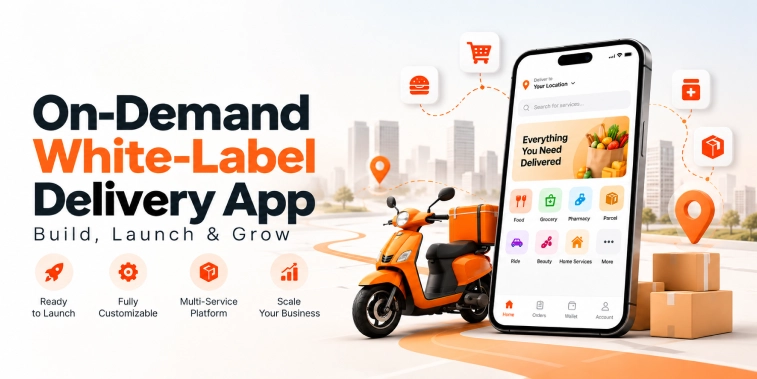
An On-Demand White-Label Delivery App provides a ready-to-customize technology solution that businesses can launch under their own brand. Instead of starting with a completely blank application, a business can use an existing software foundation and customize the interface, features, workflows, service categories, pricing, and branding according to its market.
White-label delivery software can support different business models, including food delivery, grocery delivery, medicine delivery, courier services, local shopping, multi-service delivery, and other on-demand services.
A successful delivery platform needs more than an ordering interface. It requires customer applications, delivery partner tools, merchant or service-provider functionality, an administrative dashboard, payment systems, maps, notifications, order management, analytics, security, and scalable infrastructure.
This guide explains what an on-demand white-label delivery app is, how it works, its key features and functionality, development process, technology integrations, business models, launch strategy, growth opportunities, AI capabilities, cost factors, and important considerations for building a scalable delivery business.
What Is an On-Demand White-Label Delivery App?
An on-demand white-label delivery app is a pre-developed delivery software solution that businesses can customize and launch under their own brand identity.
Unlike a completely custom application developed from the ground up, a white-label solution can provide a ready-made foundation containing common delivery functionality.
Businesses can customize elements such as
- Logo and brand identity
- App design
- Service categories
- Product catalog
- Delivery areas
- Pricing rules
- Commission structure
- Payment methods
- Notifications
- User workflows
- Business rules
The platform can be adapted for different delivery models.
Food Delivery
Restaurants can list menus, and customers can place food orders for delivery.
Grocery Delivery
Stores can manage grocery catalogs, inventory, orders, and local deliveries.
Pharmacy Delivery
Eligible pharmacies can manage products, orders, and delivery workflows according to applicable requirements.
Courier Delivery
Customers and businesses can request pickup and delivery services for packages and documents.
Multi-Service Delivery
A platform can combine several categories, allowing customers to access different local services through one application.
The purpose of white-label software is not to copy another company exactly. It provides a reusable technology foundation that can be customized around a business’s own requirements.
How Does an On-Demand White-Label Delivery App Work?
A delivery platform connects customers, businesses, delivery partners, and administrators through a coordinated workflow.
Step 1: Customer Registration
Customers create an account using supported authentication methods.
They can add their contact details, delivery addresses, and other relevant preferences.
Step 2: Service or Product Discovery
Customers browse available businesses, products, services, or delivery options.
Search, categories, filters, and location features can help users find relevant options.
Step 3: Order Placement
Customers select products or services, add them to a cart, provide delivery information, and confirm the order.
Step 4: Payment
The customer selects an available payment method and completes the transaction where online payment is supported.
Step 5: Merchant Confirmation
The participating merchant or service provider receives the order and confirms it according to the platform workflow.
Step 6: Order Preparation
The merchant prepares the order for pickup.
Step 7: Delivery Assignment
The platform assigns or offers the delivery request to an eligible delivery partner.
Step 8: Pickup and Delivery
The delivery partner collects the order and transports it to the customer’s location.
Step 9: Real-Time Updates
Customers can receive updates about order progress and delivery status.
Step 10: Completion and Feedback
After delivery, the order is completed, and customers may be able to provide ratings or feedback.
This workflow can be customized depending on whether the platform handles food, groceries, packages, pharmacy products, or multiple delivery categories.
Key Features of an On-Demand White-Label Delivery App
A complete delivery platform should provide functionality for every major participant in the delivery ecosystem.
Customer App Features
User Registration and Login
Customers can register using supported methods such as phone numbers, email addresses, or social authentication.
Secure authentication helps protect accounts and customer information.
User Profile
Customers can manage:
- Name
- Contact details
- Saved addresses
- Order history
- Payment preferences
- Favorite businesses
- Notification settings
Location Detection
Location functionality can help identify service availability and nearby merchants.
Customers can enter or select delivery addresses before placing an order.
Search and Filters
A search system allows users to find businesses, products, or services.
Filters can include:
- Category
- Price
- Rating
- Delivery time
- Distance
- Availability
- Promotions
Merchant Discovery
Customers can browse participating restaurants, stores, pharmacies, local businesses, or service providers.
Product and Service Catalog
Each merchant can display relevant products or services with information such as
- Name
- Description
- Price
- Images
- Availability
- Variations
- Applicable options
Cart Management
Customers can add products, change quantities, remove items, and review their order before checkout.
Checkout
The checkout process can include:
- Delivery address
- Order summary
- Delivery fee
- Discounts
- Taxes where applicable
- Payment method
- Final amount
Pricing should be presented clearly before order confirmation.
Multiple Payment Options
The platform can integrate supported payment methods such as cards, digital wallets, bank-based payments, or other regional options.
Order Tracking
Customers can monitor order progress through relevant status updates.
A delivery map can also provide location visibility where appropriate.
Order History
Customers can review completed and previous orders.
Reordering
A reordering feature can make it easier to purchase frequently ordered products or services again.
Ratings and Reviews
Customers can rate eligible merchants or delivery experiences after completing an order.
Notifications
Notifications can provide updates about:
- Order confirmation
- Merchant acceptance
- Preparation
- Pickup
- Delivery
- Payment
- Promotions
- Order completion
Customer Support
Customers can contact support through chat, tickets, email, phone, or other available channels.
Merchant and Business Features
White-label delivery platforms also require dedicated tools for participating businesses.
Merchant Registration
Businesses can submit relevant information to create their platform profiles.
Business Profile
A profile can include:
- Business name
- Address
- Operating hours
- Contact information
- Service area
- Business description
- Delivery settings
Product Management
Merchants can add and update products or services.
They can manage:
- Product names
- Descriptions
- Prices
- Images
- Categories
- Availability
- Variations
Inventory Management
For businesses selling physical products, inventory tools can help track availability.
Order Management
Merchants can receive orders and update their status.
Possible statuses include:
- New
- Accepted
- Preparing
- Ready for pickup
- Completed
- Cancelled
Business Analytics
Merchants can access information about:
- Orders
- Revenue
- Popular products
- Customer activity
- Average order value
- Delivery performance
Promotions
Merchants can participate in eligible discounts, campaigns, coupons, and promotional programs.
Delivery Partner App Features
The delivery partner application supports the field operations of the platform.
Delivery Partner Registration
Delivery partners can create profiles and submit required information for verification.
Availability Management
Partners can indicate when they are available to receive delivery requests.
Delivery Requests
Eligible delivery partners can receive new delivery opportunities through the application.
Order Details
The delivery partner can view relevant pickup and delivery information.
Navigation
Maps and navigation tools can help partners travel between pickup and delivery locations.
Delivery Status
Partners can update delivery progress.
Earnings Dashboard
The application can display relevant earnings, completed deliveries, and payment information.
Delivery History
Partners can review completed delivery activity.
Notifications
Partners can receive alerts about new requests, updates, cancellations, and other operational information.
Admin Dashboard
The admin dashboard provides centralized management of the entire delivery ecosystem.
Administrators can manage:
- Customers
- Merchants
- Delivery partners
- Products
- Orders
- Payments
- Commissions
- Promotions
- Service areas
- Support requests
- Reports
Customer Management
Administrators can manage customer accounts and relevant support issues.
Merchant Management
The dashboard can support merchant onboarding, verification, service areas, catalogs, and operational settings.
Delivery Partner Management
Administrators can manage delivery partner profiles, verification, availability, assignments, and performance information.
Order Management
A centralized order dashboard provides visibility into order status and fulfillment.
Commission Management
For marketplace models, administrators can configure relevant commission rules.
Promotion Management
Admins can manage coupons, campaigns, discounts, banners, and promotional rules.
Analytics and Reporting
The platform can generate reports covering:
- Orders
- Revenue
- Customers
- Merchants
- Delivery partners
- Popular products
- Delivery performance
- Cancellation rates
AI Features for On-Demand Delivery Platforms
Artificial intelligence can improve several parts of a delivery platform when applied appropriately.
AI-Powered Recommendations
AI can analyze relevant user activity and preferences to recommend products, merchants, or services.
Intelligent Search
Natural-language search can help customers find products and services even when their queries do not exactly match catalog terminology.
Smart Delivery Assignment
AI can consider factors such as delivery partner location, availability, workload, and order requirements to recommend suitable assignments.
Route Optimization
AI-assisted route planning can help identify efficient delivery routes using relevant location and traffic information.
Demand Forecasting
AI can analyze historical order patterns to help businesses anticipate demand.
This can support staffing, inventory planning, and delivery capacity.
AI Customer Support
An AI assistant can handle common questions about orders, payments, delivery status, refunds, and platform navigation.
Complex issues can be transferred to human support.
Fraud and Anomaly Detection
AI can identify unusual transaction or account activity for further review.
Personalized Promotions
AI can help identify relevant promotional opportunities based on permitted customer behavior and business rules.
Real-Time Tracking and Delivery Management
Real-time delivery visibility is an important component of modern on-demand platforms.
A delivery management system can coordinate:
- Pickup locations
- Delivery addresses
- Delivery partner assignments
- Order status
- Location information
- Estimated arrival times
Customers can receive status updates while delivery partners can access navigation and job information.
Businesses can use the admin dashboard to monitor active deliveries and identify potential operational issues.
Business Model and Revenue Opportunities
An on-demand white-label delivery platform can support several revenue models.
Merchant Commission
The platform can charge merchants a percentage or agreed fee on eligible orders.
Delivery Fees
Customers can pay applicable delivery fees based on distance, order value, service area, or business rules.
Subscription Plans
A platform can offer subscription plans with defined customer or merchant benefits.
Service Fees
The business can charge clearly disclosed platform or service fees where appropriate.
Advertising and Sponsored Listings
Merchants can pay for eligible promotional placements or sponsored visibility.
Premium Merchant Plans
Businesses can offer advanced features to merchants through premium plans.
Promotional Partnerships
The platform can develop partnerships with relevant businesses and brands.
A combination of revenue streams can help create a diversified business model.
Technology and Third-Party Integrations
A scalable white-label delivery application requires several technical components.
Payment Gateway Integration
Payment providers support secure online transactions.
Maps and Location APIs
Map services support:
- Address selection
- Merchant discovery
- Delivery tracking
- Navigation
- Distance calculations
Push Notifications
Push notification services can deliver real-time order and delivery updates.
SMS and Email
These services can support:
- Verification
- Order confirmations
- Delivery updates
- Receipts
- Customer communication
Analytics Platforms
Analytics tools help businesses understand:
- User behavior
- Orders
- Revenue
- Conversion
- Customer retention
- Delivery performance
AI Services
AI integrations can support recommendations, search, support, forecasting, and operational optimization.
Cloud Infrastructure
Cloud infrastructure can provide:
- Application hosting
- Databases
- Storage
- Backups
- Monitoring
- Scalability
Security and Data Protection
Delivery platforms can handle personal information, addresses, order records, payment-related information, merchant data, and delivery partner information.
Security should therefore be considered throughout the platform architecture.
Important measures include:
- Secure authentication
- Encryption
- Role-based access control
- Secure APIs
- Payment security
- Data access controls
- Audit logging
- Monitoring
- Backup and recovery
- Regular security testing
Businesses should also comply with applicable privacy and data-protection requirements in the markets where they operate.
On-Demand White-Label Delivery App Development Process
Developing a delivery platform requires structured planning.
Market Research
Identify the target customers, service category, competitors, geographical market, and delivery requirements.
Business Model Planning
Define commissions, delivery fees, subscriptions, promotional programs, and other revenue streams.
Feature Planning
Determine the requirements for customers, merchants, delivery partners, and administrators.
UI/UX Design
Create intuitive interfaces for ordering, merchant management, delivery operations, and administration.
Technology Planning
Define the mobile applications, web dashboards, backend architecture, database, APIs, integrations, and security infrastructure.
Development
Build the customer application, merchant dashboard, delivery partner application, admin panel, and backend services.
Integration
Connect payment gateways, maps, notifications, analytics, AI services, and other required systems.
Testing
Test the platform for:
- Functionality
- Payments
- Order processing
- Delivery workflows
- Notifications
- Performance
- Security
- User permissions
Launch
Begin with a controlled service area and selected merchants and delivery partners where appropriate.
Monitoring and Improvement
Track performance, user feedback, operational metrics, and technical issues after launch.
Cost Factors in White-Label Delivery App Development
The cost of a white-label delivery application depends on the project’s scope and customization requirements.
Important factors include:
- Number of applications
- UI/UX customization
- Customer features
- Merchant features
- Delivery partner functionality
- Admin dashboard
- Payment integrations
- Maps and tracking
- AI functionality
- Third-party integrations
- Security requirements
- Testing
- Cloud infrastructure
- Development team location
- Maintenance and support
A basic delivery application will generally require fewer resources than a multi-service marketplace with advanced AI, real-time tracking, sophisticated analytics, multiple payment methods, and complex merchant operations.
Businesses should also plan for ongoing costs such as hosting, third-party services, maintenance, security updates, support, and future feature development.
How to Launch a White-Label Delivery App
Launching the platform successfully requires more than publishing the application.
Choose a Specific Market
Start by identifying a clear service category and target customer group.
A focused launch can make it easier to build merchant and delivery-partner supply.
Build Merchant Partnerships
Recruit relevant businesses before launch so customers have useful options from the beginning.
Establish Delivery Operations
Define delivery zones, partner onboarding, pricing, assignment rules, and customer support processes.
Test the Complete Workflow
Before a public launch, test the entire journey from customer ordering to merchant fulfillment and final delivery.
Launch in a Focused Area
Starting with a specific geographic area can help the business monitor operations and improve the platform before expansion.
Promote the Platform
Marketing channels can include:
- Search marketing
- Social media
- Local campaigns
- Referral programs
- Merchant promotions
- Content marketing
- Paid advertising
The marketing approach should match the target market and business model.
How to Grow an On-Demand Delivery Platform
Growth depends on maintaining a balance between customers, merchants, and delivery capacity.
Expand Merchant Selection
A wider merchant network can give customers more reasons to use the platform.
Improve Customer Retention
Convenient reordering, reliable delivery, loyalty programs, personalized experiences, and responsive support can encourage repeat usage.
Optimize Delivery Operations
Efficient delivery assignment and route management can help improve service reliability.
Use Analytics
Businesses can monitor:
- Customer acquisition
- Repeat orders
- Average order value
- Delivery time
- Cancellation rates
- Merchant performance
- Customer retention
Expand Service Areas Gradually
Once the platform performs reliably in its initial market, businesses can evaluate additional locations.
Introduce New Service Categories
A delivery platform can expand from one category into related services when the operational model supports it.
Conclusion
An On-Demand White-Label Delivery App provides businesses with a customizable foundation for launching their own branded delivery platform. Instead of developing every component from the ground up, businesses can start with a ready-made software structure and customize it around their target market, service category, operational model, and brand.
A complete platform can include customer registration, merchant management, product discovery, search, cart and checkout, payments, order tracking, delivery partner management, notifications, reviews, analytics, and centralized administration.
AI can further improve the platform through intelligent search, personalized recommendations, smart delivery assignment, route optimization, demand forecasting, customer support, and anomaly detection.
However, technology alone does not guarantee delivery business success. Businesses also need strong merchant partnerships, reliable delivery operations, transparent pricing, effective customer support, appropriate marketing, and continuous product improvement.
The best approach is to launch with a focused market, validate the operational model, monitor customer and merchant feedback, and gradually expand the platform. With the right technology foundation and a clear growth strategy, a white-label delivery solution can help businesses enter the on-demand delivery market and develop a scalable digital operation.
Frequently Asked Questions (FAQs)
1. What is an On-Demand White-Label Delivery App?
An On-Demand White-Label Delivery App is a ready-made delivery software solution that businesses can customize with their own branding, features, services, pricing, and workflows before launching it as their own delivery platform.
2. What features should a White-Label Delivery App include?
Important features can include customer registration, location detection, search and filters, merchant discovery, product catalogs, cart and checkout, digital payments, order tracking, delivery partner management, notifications, reviews, analytics, and an admin dashboard.
3. Can a White-Label Delivery App support multiple delivery services?
Yes. Depending on the software architecture, it can be customized for food delivery, grocery delivery, pharmacy delivery, courier services, local shopping, or multiple service categories through one platform.
4. How does an On-Demand Delivery App make money?
Potential revenue models include merchant commissions, delivery fees, service fees, subscriptions, premium merchant plans, sponsored listings, advertising, and promotional partnerships.
5. What affects the cost of developing a White-Label Delivery App?
Cost depends on customization, number of applications, customer and merchant features, delivery management, payment gateways, maps, real-time tracking, AI features, integrations, security, testing, development resources, and ongoing maintenance.

Parth Kulkarni
Managing Director
Parth Kulkarni is the Managing Director with strong expertise in IT and on-demand app solutions, focused on empowering startups and enterprises with scalable digital products. His strategic leadership and business insight drive innovation, ensuring consistent client success and long-term growth.
