


Introduction
The food delivery industry continues to evolve as customers increasingly prefer ordering meals through mobile apps instead of visiting restaurants directly. A modern food delivery platform connects customers, restaurants, and delivery partners through a single digital ecosystem, making ordering and delivery faster and more convenient.
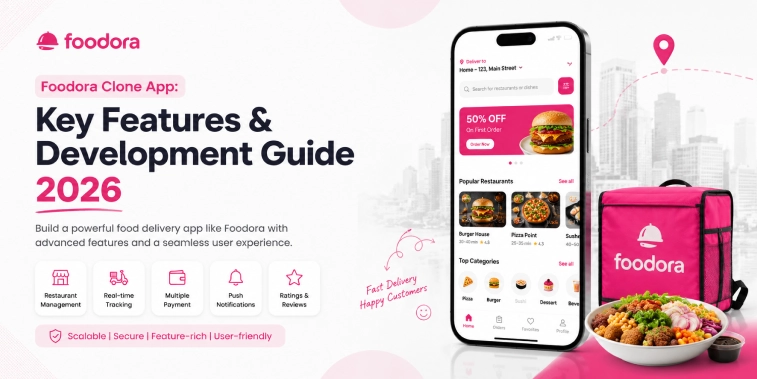
A Foodora Clone App is a customizable food delivery solution designed for businesses that want to launch their own online food ordering and delivery platform. It can provide dedicated applications or panels for customers, restaurants, delivery partners, and administrators, allowing each participant to manage their activities efficiently.
For entrepreneurs entering the food delivery market in 2026, a ready-made and customizable platform can reduce development complexity while providing the foundation needed to launch and scale a digital food delivery business.
This guide focuses on the key features and development process of a Foodora Clone App, including its core components, development considerations, technology integrations, cost factors, and future trends.
What Is a Foodora Clone App?
A Foodora Clone App is a customizable food delivery application inspired by the functionality of established food ordering platforms. It enables customers to discover restaurants, browse menus, place food orders, make payments, and track deliveries from their smartphones.
The platform generally consists of four major components:
- Customer App
- Restaurant Panel
- Delivery Partner App
- Admin Panel
These components work together to manage the complete food ordering process.
A typical workflow starts when a customer searches for a nearby restaurant and selects food items from its menu. The customer places an order and completes the payment. The restaurant receives the order through its management panel, prepares the food, and updates the order status. A delivery partner then collects the order and delivers it to the customer’s location.
The administrator can monitor users, restaurants, delivery partners, orders, payments, and overall platform activity through the central dashboard.
Why Build a Foodora Clone App in 2026?
The continued growth of online food ordering creates opportunities for businesses to establish their own food delivery platforms. A Foodora Clone App can provide the technological foundation for entering this market without requiring every component to be developed from the ground up.
Growing Online Food Ordering Demand
Customers value the convenience of discovering restaurants and ordering meals from their phones. A dedicated platform allows businesses to serve this demand through a centralized digital experience.
Faster Market Launch
A customizable clone solution can provide pre-built functionality that reduces the time required to create the basic platform structure.
Businesses can then focus on customization, branding, service areas, restaurant partnerships, and customer acquisition.
Flexible Business Expansion
A food delivery platform can start within a specific city or service area and expand as the customer and restaurant network grows.
Better Restaurant Connectivity
Restaurants can use the platform to reach online customers without needing to develop their own ordering applications.
Convenient Customer Experience
Customers can search menus, compare restaurants, place orders, select payment methods, and track deliveries from one application.
Centralized Business Management
An admin dashboard gives platform owners centralized control over restaurants, customers, orders, delivery partners, payments, and other operations.
These advantages make a customizable Foodora Clone App a practical option for entrepreneurs planning to enter or expand within the digital food delivery market in 2026.
Growing Demand for Food Delivery Apps
Several changes in customer behavior have contributed to the continued demand for food delivery applications.
Mobile-First Ordering
Smartphones have become an important channel for restaurant discovery and food ordering. Mobile applications provide customers with quick access to menus, offers, and delivery services.
Convenience
Customers can order meals from home, work, or other locations without physically visiting a restaurant.
Restaurant Digitization
More restaurants are adopting digital ordering channels to reach customers and manage orders efficiently.
Digital Payments
Online payment methods make the checkout process faster and reduce dependence on cash transactions.
Real-Time Delivery Tracking
Customers increasingly expect visibility into their orders after checkout. Real-time tracking can provide updates about preparation, pickup, and delivery.
Personalized Experiences
Modern applications can use customer preferences, previous orders, and browsing activity to provide more relevant restaurant and menu suggestions.
These trends make feature-rich food delivery platforms increasingly important for businesses competing in the digital restaurant marketplace.
Key Features of a Foodora Clone App
A successful Foodora Clone App needs features that address the needs of customers, restaurants, delivery partners, and administrators. Each component should provide a simple and efficient experience while working together as part of one platform.
Customer App Features
Easy Registration and Login
Customers should be able to create an account using common authentication options such as:
- Mobile number
- Email address
- OTP verification
- Social login
A straightforward registration process reduces friction during onboarding.
Restaurant Discovery
Customers should be able to discover restaurants based on their location, cuisine, ratings, availability, and other relevant criteria.
Useful discovery options can include:
- Nearby restaurants
- Popular restaurants
- Recommended restaurants
- Cuisine categories
- Restaurant ratings
- Special offers
Search and Filters
A powerful search system allows customers to quickly find restaurants and menu items.
Filters can include:
- Cuisine
- Price range
- Rating
- Delivery time
- Vegetarian options
- Offers
Digital Menu
Restaurants can display their menus with:
- Food images
- Item names
- Descriptions
- Prices
- Categories
- Availability
- Customization options
A clear menu helps customers make purchasing decisions quickly.
Shopping Cart
Customers should be able to add multiple food items to their cart, change quantities, remove items, and review their order before checkout.
Secure Checkout
The checkout process should provide:
- Delivery address
- Order summary
- Applicable discounts
- Delivery charges
- Payment options
- Final order amount
A simple checkout experience can help reduce abandoned orders.
Multiple Payment Options
Depending on the target market, the platform can support:
- Credit cards
- Debit cards
- UPI
- Digital wallets
- Online banking
- Cash on delivery
Real-Time Order Tracking
Customers can monitor the progress of their orders from confirmation through delivery.
Typical stages include:
Order History
Customers can access previous orders and reorder their favorite meals without repeating the entire search process.
Ratings and Reviews
Customers can rate restaurants and delivery experiences after completing an order. Reviews can also help future customers evaluate restaurants.
Push Notifications
Notifications can inform customers about:
- Order confirmation
- Preparation updates
- Delivery status
- Promotional offers
- Discounts
- New restaurants
Restaurant Panel Features
The restaurant panel gives restaurant owners and staff the tools needed to manage their digital operations.
Restaurant Registration
Restaurants can submit their business information and required details for platform approval.
Menu Management
Restaurant owners can:
- Add menu items
- Edit descriptions
- Update prices
- Upload food images
- Create categories
- Mark items as available or unavailable
Order Management
Restaurants can receive and process incoming orders from customers.
The panel can support actions such as:
- Accepting orders
- Rejecting orders
- Updating preparation status
- Marking orders as ready
- Reviewing completed orders
Business Profile Management
Restaurants can maintain information such as:
- Business name
- Address
- Opening hours
- Contact information
- Cuisine type
- Restaurant images
Offers and Promotions
Restaurants can create special offers and discounts to attract customers and increase order volume.
Order Reports
Restaurants can review order history and performance information to better understand their digital sales activity.
Delivery Partner App Features
Delivery partners are responsible for collecting prepared food from restaurants and delivering it to customers.
The delivery application should provide tools that make this process efficient.
Delivery Request Management
Partners can receive available delivery requests and accept assignments based on their availability.
Order Details
Delivery partners can view important information such as:
- Restaurant location
- Customer location
- Order details
- Delivery instructions
- Contact information
GPS Navigation
Map integration can help delivery partners navigate between restaurants and customer locations.
Delivery Status Updates
Partners can update delivery progress through stages such as:
- Order Picked Up
- On the Way
- Arrived
- Delivered
Earnings Dashboard
Delivery partners can monitor their completed deliveries and earnings through a dedicated dashboard.
Delivery History
The application can maintain records of previous deliveries, allowing partners to review their activity.
Admin Panel Features
The admin panel provides centralized control over the entire food delivery platform.
Administrators can manage:
- Customers
- Restaurants
- Delivery partners
- Orders
- Food categories
- Payments
- Discounts
- Promotions
- Notifications
- Reports
Customer Management
Administrators can review customer accounts, manage profiles, and monitor platform activity.
Restaurant Management
The admin can approve restaurants, manage restaurant information, and monitor their platform activity.
Delivery Partner Management
Administrators can manage delivery partner registration, verification, availability, and performance.
Order Management
The admin dashboard can provide an overview of active, completed, cancelled, and pending orders.
Reports and Analytics
Business analytics can help administrators understand:
- Order volume
- Restaurant performance
- Customer activity
- Delivery performance
- Revenue-related metrics
These insights can support better business decisions and future platform improvements.
Foodora Clone App Development Process
Developing a Foodora Clone App involves several stages, from planning the platform and designing the user interface to integrating essential services, testing the applications, and launching the final product.
A structured development process helps ensure that the platform is scalable, user-friendly, and capable of supporting customers, restaurants, delivery partners, and administrators.
1. Business and Requirement Analysis
The first step is to define the business objectives and target market.
This stage includes identifying:
- Target customers
- Service locations
- Restaurant categories
- Delivery model
- Required platforms
- Essential features
- Future expansion plans
A clear requirements document helps establish the scope of the project before development begins.
2. UI/UX Design
The next stage is designing the interfaces for customers, restaurants, delivery partners, and administrators.
The design should focus on:
- Simple navigation
- Clear restaurant categories
- Easy food discovery
- Fast checkout
- Accessible order tracking
- Responsive layouts
A consistent design across the platform creates a smoother user experience.
3. Application Development
Developers then build the required applications and management panels.
The platform may include:
- Customer mobile application
- Restaurant management panel
- Delivery partner application
- Admin dashboard
Each component is developed according to its specific role while remaining connected to the overall platform.
4. API and Service Integration
APIs connect different parts of the platform and allow information to move between applications.
For example, when a customer places an order, the system can send the order information to the restaurant, notify the delivery partner after preparation, and update the customer as the order progresses.
5. Testing
Testing is performed to identify functional problems and improve reliability.
Testing can cover:
- Registration
- Restaurant search
- Menu browsing
- Cart functionality
- Checkout
- Payments
- Order processing
- Delivery tracking
- Notifications
- Admin functions
Testing across different devices and operating systems helps provide a consistent experience.
6. Deployment
After testing and final improvements, the applications can be prepared for deployment.
The business can then launch the platform in its selected service area and begin onboarding restaurants and delivery partners.
7. Maintenance and Updates
After launch, ongoing maintenance is important for keeping the platform reliable.
Regular activities may include:
- Bug fixes
- Performance improvements
- Platform updates
- Feature enhancements
- Database maintenance
- Technical monitoring
Technology and Third-Party Integrations
A modern Foodora Clone App depends on several technologies and third-party services to provide a complete food ordering and delivery experience.
The exact technology stack can vary according to the project requirements, platform selection, scalability needs, and development approach.
Payment Gateway Integration
Payment integration allows customers to complete orders using supported digital payment methods.
A platform can integrate suitable payment providers based on the target market and local payment requirements.
Maps and GPS Integration
Map and location services support:
- Restaurant discovery
- Address selection
- Delivery routing
- Real-time location tracking
These capabilities are particularly important for delivery operations.
Push Notification Services
Notifications keep customers, restaurants, and delivery partners informed about important events.
Examples include:
- New orders
- Order status changes
- Delivery assignments
- Promotional messages
SMS and Email Services
SMS and email integrations can support account verification, order confirmations, alerts, and other customer communications.
Analytics Integration
Analytics tools can help businesses understand customer activity, order behavior, and overall platform performance.
Using these integrations appropriately can improve platform functionality while reducing the need to develop every supporting service internally.
Development Cost Factors
The cost of developing a Foodora Clone App depends on the requirements and complexity of the platform. There is no single fixed cost because every business may require a different combination of features, platforms, integrations, and customizations.
Number of Platforms
Developing for Android, iOS, and Web can require different levels of development effort depending on the technology approach.
Feature Requirements
Basic ordering features generally require less development effort than advanced functionality such as live tracking, personalized recommendations, loyalty programs, and advanced analytics.
UI/UX Customization
A completely customized interface requires additional design and development work compared with a ready-made interface.
Third-Party Integrations
Payment gateways, maps, notifications, analytics, and other external services can influence development requirements.
Admin and Management Tools
A more comprehensive administration system with detailed reporting, user management, restaurant controls, and operational tools can increase project complexity.
Testing and Maintenance
Testing, deployment, updates, and ongoing technical maintenance should also be considered when planning the overall investment.
A white-label or customizable clone solution can help businesses reduce the time and resources required to establish the initial platform.
Benefits of Building a Foodora Clone App
A customizable food delivery platform can provide several advantages for entrepreneurs and businesses.
Faster Launch
Pre-built functionality can reduce the time required to develop common food delivery features from scratch.
Custom Branding
Businesses can customize the application with their own:
- Logo
- Colors
- Brand identity
- Service categories
- Content
Scalable Platform
A properly designed platform can support additional restaurants, customers, delivery partners, and service locations as the business grows.
Multiple User Interfaces
Dedicated applications and panels allow every participant to manage their responsibilities efficiently.
Better Customer Convenience
Customers can discover restaurants, order food, make payments, and track deliveries from one application.
Centralized Management
The admin panel provides a central location for monitoring and managing platform operations.
Challenges in Food Delivery App Development
Although the food delivery market provides significant opportunities, businesses should also consider several challenges.
Managing Delivery Operations
Coordinating restaurants, delivery partners, and customers can become complex as order volume increases.
Restaurant Onboarding
Building a strong restaurant network is important for providing customers with enough choices.
Delivery Efficiency
Poor route planning or inefficient delivery allocation can increase delivery times and negatively affect customer satisfaction.
Customer Retention
Businesses need to provide reliable service and a smooth experience to encourage customers to return.
Platform Scalability
The technology infrastructure should be capable of handling increased traffic, orders, and users as the business expands.
Addressing these challenges during planning and development can help create a more reliable food delivery platform.
Future Trends in Food Delivery Apps 2026
Food delivery platforms are continuing to evolve with new technologies and changing customer expectations.
AI-Powered Recommendations
AI can analyze customer behavior and order history to provide more personalized restaurant and food suggestions.
Smarter Delivery Optimization
Advanced algorithms can help improve delivery assignment and route planning.
Voice-Based Ordering
Voice interfaces may provide customers with another convenient way to search for restaurants and place orders.
Personalized Offers
Platforms can provide customized promotions based on customer preferences and previous ordering patterns.
Digital and Contactless Payments
The continued adoption of digital payment methods can make food ordering faster and more convenient.
Real-Time Analytics
Advanced analytics can help businesses understand customer behavior, restaurant performance, and delivery operations.
Sustainable Delivery
Businesses may increasingly explore environmentally responsible delivery methods and operational practices.
These trends can influence how businesses plan and upgrade their food delivery platforms throughout 2026 and beyond.
Conclusion
A Foodora Clone App provides businesses with a practical foundation for launching a modern food ordering and delivery platform. By connecting customers, restaurants, delivery partners, and administrators, the platform can simplify the entire ordering and delivery process.
The most important considerations include selecting the right features, planning the development process, choosing suitable technology integrations, understanding development cost factors, and preparing the platform for future growth.
As customers continue to rely on digital food ordering in 2026, businesses that focus on convenience, reliable delivery, intuitive design, and scalable technology can build stronger digital food delivery platforms.
Frequently Asked Questions
1. What is a Foodora Clone App?
A Foodora Clone App is a customizable food delivery platform that allows customers to discover restaurants, browse menus, place food orders, make payments, and track deliveries through a mobile application.
2. What are the main features of a Foodora Clone App?
Important features include restaurant search, menu management, food ordering, shopping cart, online payments, order tracking, notifications, restaurant management, delivery management, and an admin dashboard.
3. How is a Foodora Clone App developed?
Development generally includes business analysis, UI/UX design, application development, API and third-party integrations, testing, deployment, and ongoing maintenance.
4. How much does it cost to develop a Foodora Clone App?
The development cost depends on factors such as features, platforms, customization, UI/UX requirements, third-party integrations, testing, and maintenance. A fixed price cannot be determined without defining the project requirements.
5. Is a Foodora Clone App suitable for startups?
Yes. A customizable Foodora Clone App can help startups launch a food delivery platform with essential customer, restaurant, delivery, and administration features while providing flexibility for future expansion.

Parth Kulkarni
Managing Director
Parth Kulkarni is the Managing Director with strong expertise in IT and on-demand app solutions, focused on empowering startups and enterprises with scalable digital products. His strategic leadership and business insight drive innovation, ensuring consistent client success and long-term growth.
