


Introduction
Homeowners often need reliable professionals to handle home repairs, maintenance, renovation, interior improvements, and other property-related tasks. Finding suitable service providers, comparing their work, scheduling appointments, and managing projects can take time when these activities are spread across different platforms. Digital home service applications help simplify this process by connecting customers with professionals through a single platform.
A Houzz Clone App is a customizable digital platform inspired by the home design, improvement, and professional discovery experience offered by established home-related platforms. Depending on the business requirements, it can combine home maintenance services, handyman bookings, renovation professionals, interior designers, and home improvement resources in one application.
The platform can allow customers to explore professionals, review portfolios, request estimates, schedule services, communicate with providers, and track project progress. Service providers can manage their profiles, service listings, appointments, customer inquiries, and payments, while administrators oversee platform activity through a centralized dashboard.
For businesses entering the home services market, a Houzz-style application can create opportunities to build a professional marketplace with customized branding, service categories, booking workflows, and revenue models.
This guide explains how a Houzz Clone App works, its key features, customer and professional tools, business model, technology requirements, development process, and cost factors.
What Is a Houzz Clone App?
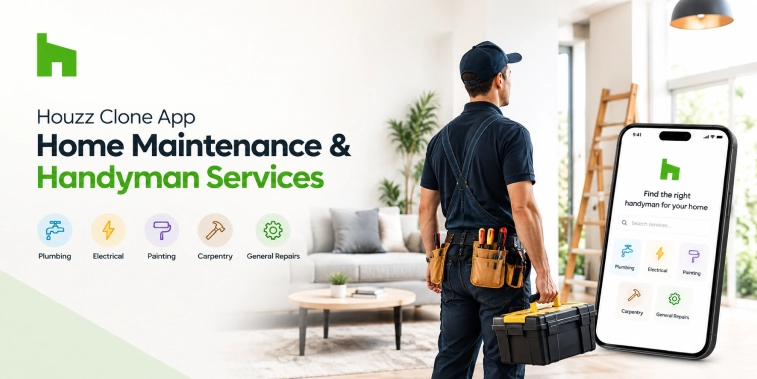
A Houzz Clone App is a customizable home improvement and service marketplace designed to connect homeowners with professionals who provide maintenance, repair, renovation, interior design, and related services.
Depending on the business model, the platform can support both service discovery and appointment booking. Customers may browse professional profiles, explore completed projects, view service descriptions, request quotations, and arrange appointments directly through the application.
The platform can serve several types of users:
- Homeowners and customers: Discover professionals, compare services, request estimates, and manage bookings.
- Handymen and maintenance professionals: List services, manage availability, respond to inquiries, and handle customer requests.
- Interior designers and renovation contractors: Showcase portfolios, discuss project requirements, and manage leads.
- Administrators: Manage users, service providers, categories, bookings, commissions, and platform performance.
A Houzz Clone App does not need to reproduce every function of an existing platform. Businesses can choose the features that best suit their target audience, service area, and operating model.
For example, a local startup might begin with plumbing, electrical repairs, painting, furniture assembly, and general handyman services. A larger marketplace could expand into renovation projects, interior design consultations, landscaping, and home improvement products.
How Does a Houzz Clone App Work?
A home maintenance and handyman marketplace generally follows a straightforward workflow.
1. Customer Registration
Customers create accounts using supported registration methods and add relevant profile information. They can save property addresses, contact details, and preferences for future bookings.
2. Service Discovery
Customers browse categories such as plumbing, electrical repairs, carpentry, painting, appliance installation, cleaning, and general home maintenance. Search and filtering options help them identify appropriate providers.
3. Professional Profile Review
Each provider can have a profile containing service descriptions, experience, service areas, portfolio images, customer reviews, availability, and other relevant information.
4. Service Request or Quotation
Customers select a listed service or describe a specific problem. Depending on the service, they may book directly or submit a request for an estimate.
For complex work, such as renovation or room remodeling, the platform can support consultations and customized quotations instead of fixed-price bookings.
5. Appointment Scheduling
Customers select an available date and time. The system checks the provider’s schedule and records the booking after confirmation.
6. Service Delivery
The professional visits the customer’s property, performs the agreed work, and updates the job status. Customers can receive notifications about appointment confirmations, schedule changes, and job progress.
7. Payment and Feedback
Payments can be handled through supported payment methods, depending on the service agreement and marketplace policies. After the job is completed, customers can provide ratings and reviews.
This workflow gives customers a central place to discover professionals and manage home service requests while helping providers organize their business activities.
Key Features of a Houzz Clone App
The features of a Houzz Clone App should make it easy for customers to discover services, evaluate professionals, and manage appointments. At the same time, service providers need practical tools to handle requests and complete jobs efficiently.
1. Customer Registration and Profiles
The application should provide a simple registration and login experience. Customers can manage their names, contact details, saved addresses, booking history, and account preferences.
Saved property addresses are especially useful for users who own or manage multiple properties. Customers can choose the relevant address when scheduling a repair or maintenance appointment.
2. Home Maintenance Service Categories
Organized categories help customers find the right professional without searching through unrelated listings.
Possible categories include:
- Plumbing and pipe repairs
- Electrical maintenance
- Carpentry and furniture assembly
- Painting and wall repairs
- Appliance installation and repair
- Air conditioning maintenance
- General handyman services
- Home renovation
- Interior design consultations
- Landscaping and outdoor maintenance
Administrators should be able to add, update, or remove categories as the marketplace expands.
3. Search and Advanced Filters
A search system allows customers to find services using keywords, service types, locations, or provider names.
Filters can narrow results according to availability, ratings, price range, experience, service area, and supported job types. Clear filtering options improve the discovery process and help customers compare relevant professionals.
4. Professional Profiles
Professional profiles provide important information that customers need before choosing a provider.
A profile can include:
- Business or professional name
- Service descriptions
- Experience and qualifications
- Service locations
- Working hours
- Portfolio images
- Customer ratings and reviews
- Indicative prices or quotation options
- Contact and booking options
The platform should present verified credentials accurately and avoid displaying qualifications that have not been checked.
5. Portfolio and Project Gallery
A project gallery is particularly valuable for home improvement and interior design services. Professionals can showcase completed work through photographs, project descriptions, and relevant details.
Customers can explore examples of painting, remodeling, kitchen upgrades, furniture installation, and other projects before contacting a provider.
Uploaded photographs should be managed with appropriate permissions, especially when they show private homes or identifiable personal information.
6. Online Booking and Appointment Scheduling
Customers should be able to choose a service, select an available time slot, provide job details, and submit a booking request.
Providers can manage their calendars, block unavailable periods, accept or decline requests, and update appointments when necessary.
The system should also support cancellation and rescheduling rules so customers understand the conditions before confirming a booking.
7. Quotation and Estimate Management
Not every home improvement job can be priced accurately in advance. A quotation feature allows customers to describe their requirements, attach photographs, and request an estimate.
Professionals can review the request, ask follow-up questions, and provide an estimate based on the expected work.
For larger projects, the platform may support revised quotations, itemized costs, and customer approval before work begins.
8. In-App Messaging
Messaging allows customers and professionals to discuss project requirements, clarify service details, and coordinate appointments.
The platform can support text messages, relevant attachments, and notifications when new messages arrive. Access controls should protect conversations and prevent unauthorized users from viewing private information.
9. Secure Payments and Invoicing
An integrated payment system can make it easier for customers to pay for eligible services. Depending on the business model, payments may be collected during booking, after quotation approval, or following job completion.
The platform can also support invoices, transaction records, refunds, and payment status updates. Any deposit or cancellation charges should be communicated clearly before payment.
10. Ratings and Reviews
Customers can submit feedback after completing a service. Reviews help other users evaluate professional reliability, workmanship, communication, and overall service quality.
The platform should use moderation and reporting tools to address inappropriate content and suspicious reviews.
11. Notifications and Reminders
Push notifications, email, and SMS can inform users about booking confirmations, quotation updates, upcoming appointments, schedule changes, payment receipts, and completed jobs.
Timely notifications help reduce missed appointments and keep customers and professionals informed.
12. Booking History and Repeat Services
Customers can access previous appointments, invoices, quotations, and provider details from their account.
For recurring maintenance, such as seasonal servicing or routine property checks, the platform can offer repeat booking options or reminders where supported.
Handyman and Service Provider Features
Service professionals need more than a public profile. Their tools should help them manage daily operations, respond to customer requests, and keep track of their work.
Service Listing Management
Providers can create service listings with descriptions, prices or pricing guidance, service areas, job requirements, and photographs. They should be able to update listings as their capabilities or availability change.
Availability and Calendar Management
A calendar helps professionals manage appointments, working hours, holidays, and unavailable periods. When a booking is accepted, the corresponding time slot can be reserved to reduce scheduling conflicts.
Job and Request Management
Providers can view incoming requests, review customer descriptions, request additional information, submit quotations, and update job statuses.
Useful statuses may include request received, estimate sent, booking confirmed, work in progress, and job completed.
Customer and Property Information
Providers can access the customer and property information necessary to deliver an agreed service. Access should be limited to relevant details and provided only when needed.
Quotation and Invoice Management
Professionals can prepare estimates, communicate proposed costs, create invoices, and maintain transaction records. This helps them organize work and provide customers with clearer pricing information.
Earnings and Performance Dashboard
A provider dashboard can summarize completed jobs, pending requests, earnings, ratings, and other business metrics. These insights can help professionals identify popular services and improve their operations.
Portfolio Management
Providers can upload project photographs and update descriptions of completed work. The platform can offer controls for image review, consent, and removal.
Admin Dashboard for Home Maintenance Services
The admin dashboard gives the marketplace owner centralized control over platform operations.
Customer Management
Administrators can manage customer accounts, review support requests, handle reported activity, and maintain account settings.
Professional Onboarding and Verification
The platform can collect required provider information and support verification workflows. Depending on the service and location, checks may include identity, business registration, qualifications, insurance, or other relevant credentials.
Verification procedures should match the actual legal and operational requirements of each market.
Service Category Management
Administrators can organize service categories, update descriptions, and control which services are available in particular locations.
Booking and Dispute Management
The dashboard can provide visibility into appointments, cancellations, rescheduling, complaints, and unresolved service issues. Administrators can follow documented procedures to help resolve disputes fairly.
Commission and Payment Management
If the platform earns commissions, administrators can configure applicable rates and monitor transactions. Payment tools can also support refunds, provider payouts, and financial reporting.
Promotions and Offers
Administrators can create promotional campaigns, discount codes, and eligible offers to attract customers or encourage repeat bookings.
Analytics and Reports
Reports can track booking volume, service demand, conversion rates, provider performance, customer retention, cancellations, and revenue.
These insights help businesses identify service categories that need additional providers and locations where customer demand is growing.
Houzz Clone App Business Model
A home maintenance and handyman marketplace can generate revenue through multiple channels. The right model depends on the services offered, the target market, customer expectations, and the marketplace’s operating costs.
1. Commission on Completed Jobs
The platform can charge professionals a percentage of eligible bookings completed through the marketplace. The commission structure should be transparent and agreed upon with providers.
2. Provider Subscription Plans
Professionals may pay a recurring fee to access additional business tools, enhanced profile options, analytics, or other eligible platform features.
Subscription tiers can be designed for individual handymen, small service businesses, and larger contractors.
3. Paid Leads and Quotation Requests
The marketplace can charge providers for qualified customer leads or selected quotation opportunities. Clear lead policies are important so providers understand what they are paying for.
4. Featured Listings and Promotion
Service professionals may pay for enhanced visibility in relevant search results or category pages. Paid placements should be clearly identified and should not misrepresent a provider’s qualifications or customer ratings.
5. Booking and Service Fees
The platform may charge a transparent fee for certain transactions or booking services. Any additional charge should be displayed before the customer confirms the booking.
6. Business Partnerships
The marketplace may establish partnerships with home improvement suppliers, property managers, or other relevant businesses. Partnership arrangements should be disclosed where necessary and should preserve customer trust.
7. Premium Tools for Professionals
Additional revenue may come from optional tools such as advanced scheduling, customer relationship management, team coordination, or detailed business reporting.
A sustainable business model should provide clear value to both customers and service professionals rather than relying only on adding fees.
Security and Data Protection
Home maintenance platforms may store personal information, property addresses, customer conversations, photographs, payment records, and project details. Protecting this information is essential for building customer confidence.
The application should implement secure authentication, role-based access controls, encrypted communication, protected file storage, and secure API integrations. Payment processing should use appropriate providers and security practices.
Provider verification documents and customer property photographs should only be accessible to authorized personnel. The platform should also establish suitable data retention, deletion, backup, and incident-response procedures.
Businesses must assess the privacy and consumer protection rules that apply in their operating markets. Security requirements should be considered throughout design, development, testing, and maintenance rather than treated as a final checklist.
Houzz Clone App Development Process
A structured development process helps businesses launch a platform that meets customer and provider needs.
1. Market Research
Identify target customers, local service categories, competing platforms, provider availability, and customer pain points.
2. Requirements and Feature Planning
Define the required customer application, provider interface, admin dashboard, booking workflows, payment options, and communication features. Prioritize essential functionality for the initial launch.
3. UI/UX Design
Design clear interfaces for service discovery, profile comparison, quotation requests, appointment scheduling, and job management.
4. Technology Selection
Select suitable mobile and web technologies, backend architecture, databases, cloud services, and third-party integrations based on project requirements.
5. Development
Build the customer-facing experience, provider tools, admin dashboard, and backend systems. Ensure that bookings, quotations, notifications, and payments work together correctly.
6. Integration and Testing
Integrate external services and test core workflows, device compatibility, performance, security, and usability. Test scenarios should include cancellations, failed payments, schedule conflicts, and incomplete service requests.
7. Launch
Prepare provider onboarding, customer support, service policies, payment configuration, and operational procedures before making the application publicly available.
8. Maintenance and Improvement
Monitor platform performance, address bugs, update dependencies, collect feedback, and introduce new features based on actual customer and provider needs.
Cost Factors in Houzz Clone App Development
The cost of developing a Houzz Clone App depends on the platform’s complexity and business requirements. An application focused on basic handyman bookings will generally require a different scope from a marketplace that includes renovation quotations, professional portfolios, team management, and advanced analytics.
Feature Complexity
Features such as real-time communication, quotation management, recurring appointments, AI-assisted search, and advanced reporting can increase development effort.
Number of Applications
A customer mobile app, provider app, web portal, and admin dashboard require different interfaces and workflows. The number of applications and supported platforms influences the budget.
UI/UX Customization
Custom branding, interactive project galleries, specialized booking flows, and tailored dashboards require additional design and implementation work.
Third-Party Integrations
Payment services, maps, notifications, analytics, and AI APIs may introduce setup, usage, or subscription costs.
Backend and Infrastructure
The database design, file storage needs, security requirements, expected user volume, and scaling strategy affect infrastructure and engineering costs.
Testing and Security
Functional testing, performance testing, security reviews, and privacy-related controls should be included in the development plan.
Ongoing Maintenance
After launch, businesses need to budget for hosting, technical support, bug fixes, software updates, monitoring, and future improvements.
A practical budget should be based on a clearly defined feature list, delivery timeline, integration requirements, and expected scale rather than a generic price estimate.
Conclusion
A Houzz Clone App for home maintenance and handyman services can help businesses create a digital marketplace where customers discover professionals, compare portfolios, request quotations, schedule appointments, and manage home improvement projects.
The platform can combine customer features, professional tools, an admin dashboard, secure payments, communication, service management, and optional AI capabilities. Its business model may include commissions, subscriptions, paid leads, featured listings, and premium tools for professionals.
Successful implementation requires more than copying a familiar application concept. Businesses need to understand their target market, establish reliable provider onboarding, design convenient booking workflows, protect customer data, and create a sustainable revenue model.
With careful planning, appropriate technology, and continuous improvement, a customized home services marketplace can support a more organized experience for homeowners and service professionals.
Frequently Asked Questions (FAQs)
1. What is a Houzz Clone App?
A Houzz Clone App is a customizable platform inspired by home improvement and professional discovery services. It can connect homeowners with handymen, maintenance professionals, renovation contractors, and interior designers.
2. How does a Houzz Clone App work?
Customers search for services, review professional profiles, request estimates, and book appointments. Professionals manage service listings and job requests, while administrators oversee users, bookings, payments, and marketplace operations.
3. What are the key features of a Houzz Clone App?
Common features include service categories, search filters, professional profiles, project galleries, online booking, quotation management, messaging, secure payments, ratings, notifications, provider dashboards, and admin controls.
4. How does a Houzz Clone App generate revenue?
Potential revenue streams include commissions on completed jobs, provider subscriptions, paid leads, featured listings, booking fees, business partnerships, and premium tools for service professionals.
5. How much does it cost to develop a Houzz Clone App?
The cost depends on feature complexity, the number of applications, customization, integrations, backend infrastructure, security requirements, and ongoing maintenance. A detailed scope is necessary to estimate the development budget accurately.

Parth Kulkarni
Managing Director
Parth Kulkarni is the Managing Director with strong expertise in IT and on-demand app solutions, focused on empowering startups and enterprises with scalable digital products. His strategic leadership and business insight drive innovation, ensuring consistent client success and long-term growth.
