

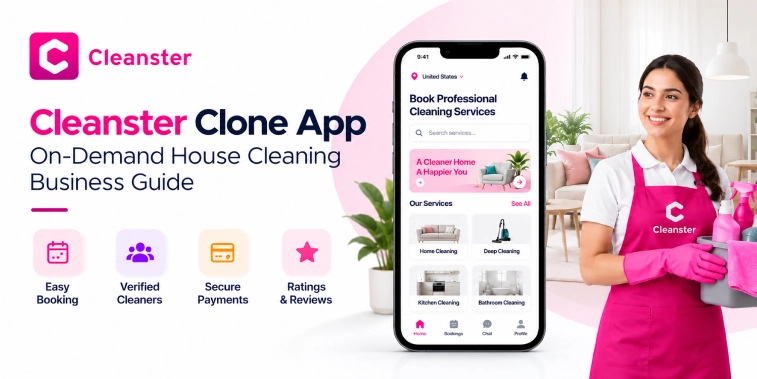
Introduction
The on-demand home services industry has changed how people book everyday household services. Instead of contacting cleaning companies manually or waiting for an appointment, customers can use mobile apps to find cleaning professionals, select a service, schedule a time, make payments, and track their bookings from one place.
A Cleanster Clone App is an on-demand house cleaning platform inspired by the general service-booking model used by modern cleaning marketplaces. It can connect customers with cleaning professionals and give businesses the technology needed to manage bookings, payments, service providers, and customer relationships through a centralized platform.
For entrepreneurs entering the home services market, a cleaning app can support different services such as regular house cleaning, deep cleaning, move-in and move-out cleaning, apartment cleaning, office cleaning, and other customizable household services.
This guide explains the Cleanster clone app concept, how the platform works, essential features, provider and admin functionality, business models, development considerations, and frequently asked questions.
What Is a Cleanster Clone App?
A Cleanster Clone App is an on-demand cleaning service application designed to connect customers with cleaning professionals through a digital marketplace.
The platform can provide separate interfaces for customers, cleaning professionals, and administrators. Customers can search for services and book appointments, while cleaners can manage service requests, schedules, earnings, and profiles. The administrator can control users, providers, bookings, payments, services, commissions, reviews, and other platform operations.
The exact functionality can be customized according to the business requirements. An entrepreneur may launch the platform in one city initially and later expand into multiple locations.
The app can also support different cleaning categories, pricing structures, provider availability, recurring bookings, promotional offers, and customer reviews.
How Does a Cleanster Clone App Work?
The basic workflow of an on-demand cleaning marketplace can be divided into several steps.
1. Customer Creates an Account
Customers register using their basic information and create a profile. Depending on the platform’s requirements, registration can support email, phone number, or social login.
2. Customer Selects a Cleaning Service
Customers browse available cleaning services and choose the type of cleaning they require. For example, they may select standard house cleaning, deep cleaning, apartment cleaning, or move-out cleaning.
3. Customer Enters Service Details
The customer provides relevant information such as property location, preferred date and time, property type, number of rooms, and additional requirements.
4. Customer Selects a Cleaner
The platform can display available cleaning professionals based on location, availability, service category, ratings, and other matching criteria.
5. Booking Confirmation
After selecting a provider and reviewing the booking details, the customer confirms the appointment.
6. Online Payment
The customer can pay through the supported payment methods. The platform can calculate the service price, taxes, platform fees, discounts, and other applicable charges.
7. Cleaning Service Is Completed
The cleaning professional arrives at the customer’s location and performs the requested service.
8. Customer Leaves a Review
After the service is completed, the customer can provide a rating and review. This information can help future customers evaluate providers.
This workflow creates a convenient digital experience for both customers and cleaning professionals.
Key Features of a Cleanster Clone App
A successful cleaning marketplace requires functionality for customers, service providers, and administrators.
Customer Registration and Profiles
Customers should be able to create and manage their profiles easily. Profile management can include:
- Name and contact information
- Saved addresses
- Booking history
- Favorite providers
- Payment methods
- Upcoming appointments
- Reviews and ratings
- Account preferences
A simple registration process can reduce friction when customers first use the platform.
Cleaning Service Search
Customers can browse different cleaning categories according to their requirements.
For example:
- House cleaning
- Apartment cleaning
- Deep cleaning
- Kitchen cleaning
- Bathroom cleaning
- Move-in cleaning
- Move-out cleaning
- Recurring cleaning
- Office cleaning
The available categories can be customized based on the target market.
Service Details
Every cleaning service can have a dedicated page containing information such as service description, estimated duration, pricing method, included tasks, optional add-ons, and booking requirements.
Clear service information helps customers understand what they are booking before confirming an appointment.
Location-Based Service Discovery
Location functionality allows the platform to identify service availability according to the customer’s area.
Customers can enter their address or use supported location functionality to determine which cleaning professionals can serve their property.
Flexible Scheduling
Customers can select a suitable date and time according to available provider schedules.
The platform can support:
- Same-day bookings
- Scheduled bookings
- Recurring cleaning
- Weekly appointments
- Biweekly appointments
- Monthly appointments
Scheduling options can be customized according to the business model.
Cleaning Add-Ons
Customers may require additional services beyond a standard cleaning package.
For example:
- Refrigerator cleaning
- Oven cleaning
- Window cleaning
- Laundry
- Interior cabinet cleaning
- Pet-related cleaning
- Extra bathroom cleaning
Add-ons can increase order value while giving customers more flexibility.
Booking Management
Customers should be able to view and manage their appointments from a centralized dashboard.
Possible booking statuses include:
- Pending
- Confirmed
- Cleaner assigned
- In progress
- Completed
- Cancelled
The platform can also provide relevant notifications whenever the booking status changes.
Secure Payments
An online payment system allows customers to complete transactions digitally.
Depending on the target market, the platform may support cards, digital wallets, bank-based payment methods, or other supported payment gateways.
The system can calculate the total amount based on service pricing, add-ons, taxes, discounts, and platform fees.
Ratings and Reviews
Customers can rate cleaning professionals after completing a service.
Ratings and reviews can help maintain transparency across the marketplace and give service providers feedback about their performance.
Notifications
Push notifications, email notifications, or SMS notifications can keep customers and cleaners informed.
Notifications may be triggered for:
- New booking
- Booking confirmation
- Provider assignment
- Upcoming appointment
- Booking cancellation
- Payment confirmation
- Service completion
- Review request
Cleaning Professional App Features
Cleaning professionals are an important part of an on-demand house cleaning marketplace. A dedicated provider interface can help them manage daily operations.
Provider Registration
Cleaning professionals can register and submit their profile information.
Depending on local regulations and business requirements, the platform may include verification workflows for identity, qualifications, insurance, background checks, or other documentation.
Provider Profile
A cleaner’s profile can display:
- Name
- Profile photo
- Service categories
- Service area
- Availability
- Experience
- Ratings
- Reviews
- Pricing information
This gives customers useful information before booking.
Availability Management
Providers can define when they are available for bookings.
They may manage:
- Working days
- Working hours
- Unavailable dates
- Vacation periods
- Service areas
Availability information can help prevent scheduling conflicts.
Booking Requests
Providers can receive new service requests through the app and review the relevant booking details.
Depending on the marketplace model, providers may accept or decline requests, or the platform may automatically assign bookings.
Earnings Dashboard
A provider dashboard can display completed jobs, pending earnings, commissions, and payment history.
This gives cleaners a clear view of their activity on the platform.
Navigation and Location Support
Map and navigation functionality can help providers reach customer locations efficiently.
The app can display the service address and provide navigation through supported mapping services.
Service History
Providers can access previous bookings and completed jobs through their accounts.
This can help them maintain a record of their work and earnings.
Admin Dashboard Features
The admin dashboard provides centralized control over the cleaning marketplace.
Customer Management
Administrators can manage customer accounts, profiles, booking histories, reviews, and account status.
Cleaner Management
The admin can review provider applications, manage profiles, monitor availability, and handle verification processes.
Service Management
Administrators can create, update, remove, or reorganize cleaning categories and services.
They can also configure service descriptions, pricing structures, add-ons, and availability.
Booking Management
The dashboard can provide a centralized view of current and previous bookings.
Administrators can monitor booking status, resolve scheduling issues, handle cancellations, and manage disputes according to platform policies.
Payment Management
The admin system can track transactions, commissions, refunds, platform fees, and provider payouts.
Commission Management
The business can define commission rules for transactions between customers and cleaning professionals.
For example, the platform may deduct a percentage or fixed service fee from each completed booking.
Reviews and Ratings Management
Administrators can monitor reviews and handle content that violates marketplace policies.
Reports and Analytics
Analytics can help administrators understand platform performance.
Useful metrics may include:
- Total bookings
- Completed bookings
- Cancelled bookings
- Revenue
- Platform commissions
- Active customers
- Active cleaners
- Popular services
- Booking frequency
- Customer retention
Advanced Features of a Cleanster Clone App
Beyond the basic booking system, advanced functionality can improve platform operations and user experience.
Recurring Cleaning
Recurring booking functionality allows customers to schedule cleaning services repeatedly.
For example, customers may choose weekly, biweekly, or monthly cleaning.
Favorite Cleaners
Customers can save preferred cleaning professionals and select them for future appointments when available.
Promotional Codes
The platform can support discount codes, promotional campaigns, first-booking offers, referral rewards, or seasonal promotions.
In-App Chat
A secure communication system can allow customers and cleaners to exchange relevant booking information.
Digital Receipts
Customers can receive digital invoices or receipts after completing a payment.
Multi-Service Support
The platform can expand beyond basic house cleaning by adding related household services.
This can help the business create a broader home-services marketplace over time.
Multi-Location Support
Businesses operating in multiple cities can manage service areas through the platform.
Administrators can configure service availability based on location.
How AI Can Improve a Cleanster Clone App
Artificial intelligence can support several areas of an on-demand cleaning platform when implemented appropriately.
Intelligent Provider Matching
An AI-assisted matching system can consider factors such as location, availability, service category, ratings, and booking history to identify suitable providers.
Demand Forecasting
Historical booking information can help identify periods of higher or lower demand.
Businesses can use these insights to improve provider availability and operational planning.
Personalized Service Suggestions
Based on previous bookings and customer preferences, the platform can suggest relevant cleaning services or add-ons.
Automated Customer Support
AI-powered support systems can answer common questions about bookings, payments, cancellations, and service availability.
More complex issues can be transferred to human support staff.
Review Analysis
AI tools can analyze customer feedback to identify recurring themes and service-quality issues.
AI should support business operations rather than replace human oversight, particularly when handling disputes or sensitive customer situations.
Benefits of a Cleanster Clone App
An on-demand cleaning marketplace can provide several practical benefits to businesses and users.
Convenient Customer Booking
Customers can discover cleaning services and schedule appointments through a single platform instead of contacting providers individually.
Centralized Business Management
Businesses can manage customers, cleaners, bookings, payments, and services from a centralized dashboard.
Flexible Service Options
Customers can choose different cleaning categories, schedules, and additional services according to their needs.
Better Provider Utilization
Availability management and booking coordination can help businesses organize service providers more efficiently.
Digital Payment Experience
Online payments simplify transactions and create a digital record of bookings.
Scalable Business Model
A digital marketplace can be expanded by adding new service categories, providers, customers, or geographical markets.
Cleanster Clone App Business Model
A cleaning marketplace can generate revenue through multiple models.
Commission-Based Revenue
The platform can charge a commission on completed cleaning bookings.
For example, a predefined percentage of the booking value can be retained by the platform while the remaining amount is paid to the service provider.
Customer Service Fees
A platform may charge a service or booking fee in addition to the cleaning price.
The exact fee structure depends on the business strategy and target market.
Subscription Plans
Businesses can offer subscription plans to customers who frequently book cleaning services.
A subscription may provide benefits such as discounted bookings, priority scheduling, or other platform-specific advantages.
Featured Provider Listings
Cleaning professionals or businesses may pay for enhanced visibility within the marketplace, subject to platform policies and transparent labeling.
Corporate Cleaning Packages
The platform can offer dedicated packages for offices, property managers, short-term rental operators, and other business customers.
A diversified revenue model can reduce dependence on a single income source.
How to Start a Cleanster Clone App Business
Launching a cleaning marketplace requires more than simply developing an application. The business model, target market, service categories, provider network, and operational processes should be defined first.
1. Define the Target Market
Determine whether the platform will focus on residential cleaning, commercial cleaning, or both.
You can also choose a specific geographical market for the initial launch.
2. Select Cleaning Services
Decide which services customers can book through the platform.
Start with services that align with the demand in your target market and expand the catalog as the business grows.
3. Create Provider Onboarding Rules
Define how cleaners can join the marketplace and what information or documentation is required.
Clear onboarding procedures can help maintain marketplace quality.
4. Choose the Business Model
Determine how the platform will generate revenue through commissions, service fees, subscriptions, corporate packages, or other suitable models.
5. Plan the App Structure
A typical cleaning marketplace can include:
- Customer app
- Cleaning professional app
- Admin dashboard
- Backend services
- Payment integration
- Notification system
- Location and mapping functionality
6. Develop the Platform
The development process should focus on usability, security, scalability, performance, and reliable communication between customers, providers, and administrators.
7. Test the Application
Before launch, test registration, booking, scheduling, payments, notifications, provider workflows, cancellation rules, and administrative functions.
8. Launch in a Defined Market
A focused initial launch can make it easier to build a provider network, collect feedback, identify operational issues, and improve the platform before expanding.
Technology and Development Considerations
A Cleanster clone app should be designed around the specific requirements of the business rather than copying another platform’s implementation.
Important development considerations include:
- Responsive and user-friendly interfaces
- Secure authentication
- Reliable database architecture
- Payment gateway integration
- Mapping and location services
- Push notifications
- Scalable backend infrastructure
- Data protection
- Role-based admin controls
- Analytics and reporting
- API integrations
- Testing and monitoring
Security is particularly important because the platform may process account information, addresses, payments, booking details, and provider information.
Businesses should also review applicable privacy, payment, consumer-protection, employment, and local service regulations before launching.
Conclusion
A Cleanster Clone App can serve as the foundation for an on-demand house cleaning marketplace that connects customers with cleaning professionals through a convenient digital platform.
The core platform can include customer booking, provider management, scheduling, location services, online payments, reviews, notifications, and administrative controls. Advanced capabilities such as recurring bookings, provider matching, analytics, AI-assisted support, and multi-location management can be added according to business requirements.
For entrepreneurs, the most important step is to define the target market, cleaning services, provider onboarding process, pricing structure, revenue model, and operational policies before launching.
A well-planned cleaning marketplace can then be developed into a scalable platform capable of supporting residential customers, professional cleaners, and business clients.
Frequently Asked Questions (FAQs)
1. What is a Cleanster Clone App?
A Cleanster Clone App is an on-demand house cleaning marketplace that connects customers with cleaning professionals. It can include booking, scheduling, payments, provider management, reviews, notifications, and an admin dashboard.
2. What features should a Cleanster Clone App have?
Important features can include customer registration, service discovery, cleaning service categories, scheduling, location support, online payments, booking management, ratings and reviews, provider profiles, earnings management, notifications, and admin controls.
3. How does a Cleanster Clone App make money?
A cleaning marketplace can generate revenue through booking commissions, customer service fees, subscriptions, corporate cleaning packages, featured listings, and other platform-specific revenue streams.
4. Can a Cleanster Clone App support recurring cleaning?
Yes. Recurring booking functionality can allow customers to schedule weekly, biweekly, or monthly cleaning services based on the options offered by the business.
5. Can a Cleanster Clone App support multiple cities?
Yes. The platform can be designed to support multiple service areas and cities. Businesses can expand geographically by onboarding additional cleaning professionals and configuring service availability for each market.

Parth Kulkarni
Managing Director
Parth Kulkarni is the Managing Director with strong expertise in IT and on-demand app solutions, focused on empowering startups and enterprises with scalable digital products. His strategic leadership and business insight drive innovation, ensuring consistent client success and long-term growth.