

Introduction
The grocery industry has changed significantly as customers increasingly use digital platforms to purchase everyday essentials. Instead of visiting a physical store for every purchase, customers can now search for products, compare prices, place orders, make digital payments, and receive groceries at their doorstep.
This shift has created opportunities for entrepreneurs who want to start an on-demand grocery delivery business. However, building a complete grocery marketplace from scratch requires considerable planning, development resources, integrations, testing, and ongoing maintenance.
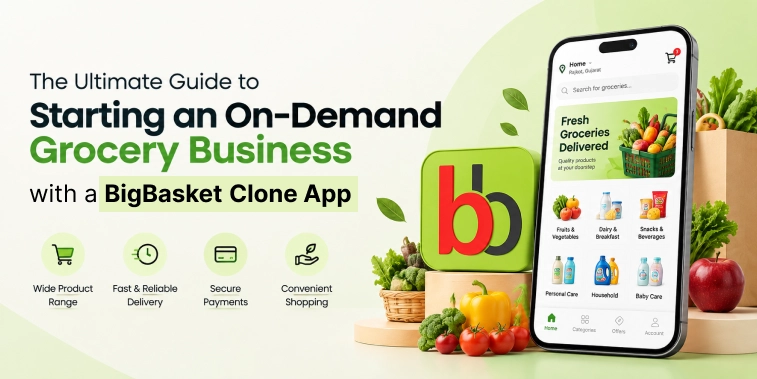
A BigBasket clone app can provide a ready-made technological foundation for launching an online grocery business. It can connect customers, grocery stores, delivery partners, and administrators through one platform while allowing entrepreneurs to customize the solution according to their market and business model.
This guide explains how to start an on-demand grocery business with a BigBasket clone app, including the platform structure, workflow, features, business models, development process, cost factors, customization options, and benefits.
What Is a BigBasket Clone App?
A BigBasket clone app is an on-demand grocery delivery solution inspired by the core functionality of established online grocery platforms such as BigBasket.
It allows entrepreneurs to create their own branded grocery marketplace where customers can discover products and place orders online. Depending on the business model, the platform can connect customers with local grocery stores, supermarkets, retailers, warehouses, or a combination of different suppliers.
A complete grocery delivery platform generally consists of four major components:
- Customer mobile app
- Grocery store or seller panel
- Delivery partner app
- Admin dashboard
The customer application handles shopping and ordering, while the seller panel manages products and orders. Delivery partners manage pickups and deliveries, and the admin dashboard controls the overall platform.
The purpose of a clone app is not simply to copy another company’s branding or interface. Instead, it provides a functional starting point that can be customized into a separate grocery delivery business.
How Does an On-Demand Grocery Business Work?
An on-demand grocery business connects customers with grocery products, sellers, and delivery services through a digital platform. The exact workflow can vary depending on whether the business operates through its own inventory, third-party grocery stores, or a hybrid model.
Step 1: Customer Registration
Customers create an account using available registration methods and provide basic information such as their name, contact details, and delivery address.
The platform can also allow customers to save multiple addresses for home, office, or other delivery locations.
Step 2: Product Discovery
Customers browse grocery categories or use search to find specific products.
Filters and sorting options can help customers narrow their choices based on price, brand, category, availability, or other criteria.
Step 3: Cart and Checkout
Customers select products, adjust quantities, review their cart, apply available coupons, select a delivery address, and proceed to checkout.
The platform calculates the applicable product total, delivery charges, discounts, taxes, and other fees.
Step 4: Order Confirmation
After payment or order confirmation, the grocery store, seller, or fulfillment center receives the order.
The seller can then begin preparing the requested products.
Step 5: Order Preparation
The seller checks product availability, collects the requested items, packages the order, and marks it ready for pickup.
If an item is unavailable, the platform can support suitable replacement or refund workflows depending on the business rules.
Step 6: Delivery Assignment
The delivery management system can assign the order to an available delivery partner based on location, availability, delivery zone, or other operational criteria.
Step 7: Pickup and Delivery
The delivery partner collects the prepared grocery order and uses navigation and location services to reach the customer’s delivery address.
Customers can receive order-status updates throughout the process.
Step 8: Order Completion
Once the groceries are delivered, the order is marked as completed. Customers can then rate their experience and provide feedback.
Main Components of a BigBasket Clone App
A scalable grocery platform needs different interfaces for each participant in the marketplace.
Customer App
The customer app is the main shopping interface.
It can include:
- Registration and login
- Profile management
- Location detection
- Address management
- Grocery categories
- Product search
- Product filters
- Product details
- Shopping cart
- Wishlist
- Coupons and offers
- Multiple payment methods
- Order history
- Order tracking
- Notifications
- Ratings and reviews
- Customer support
The customer experience should make it easy to move from product discovery to checkout without unnecessary steps.
Grocery Store or Seller Panel
The seller panel allows grocery businesses to manage their digital storefront.
Sellers can use it to:
- Add and update products
- Manage product prices
- Update inventory
- Organize categories
- Accept or reject orders
- Update order status
- Manage promotions
- View sales information
- Manage store details
- Review customer feedback
A strong seller panel can reduce manual work and make online order management easier.
Delivery Partner App
The delivery partner application manages delivery operations.
Common functions include:
- Registration
- Profile management
- Availability status
- Delivery requests
- Order acceptance
- Pickup details
- Customer information
- Navigation
- Delivery status
- Earnings information
- Delivery history
- Notifications
Location-based functionality can help delivery partners navigate to stores and customer addresses efficiently.
Admin Dashboard
The admin dashboard provides centralized management of the grocery marketplace.
Administrators can manage:
- Customers
- Sellers
- Delivery partners
- Products
- Categories
- Orders
- Payments
- Commissions
- Coupons
- Promotions
- Delivery zones
- Reports
- Notifications
- Platform settings
The dashboard can also provide business analytics that help administrators understand order volumes, revenue, seller performance, and customer activity.
Key Features of a BigBasket Clone App
The right features can directly influence the usability and operational efficiency of a grocery delivery platform.
Advanced Product Search
Customers should be able to search for products quickly using product names, brands, categories, or relevant keywords.
Search suggestions and filters can make product discovery easier when the platform contains thousands of products.
Product Categories
A grocery marketplace can organize products into categories such as:
- Fruits and vegetables
- Dairy and bakery
- Beverages
- Snacks
- Packaged foods
- Personal care
- Household essentials
- Baby products
- Pet supplies
- Organic products
Categories can be customized according to the target market.
Product Details
Each product page can provide information such as product name, images, description, price, quantity, brand, availability, and applicable offers.
Shopping Cart
The shopping cart allows customers to review their selected products before placing an order.
Customers can increase or decrease quantities, remove products, apply coupons, and view the updated total.
Multiple Payment Options
The platform can integrate suitable payment methods, including cards, online banking, digital wallets, cash on delivery, or region-specific payment solutions.
Real-Time Order Tracking
Customers can receive updates as the order moves through different stages, such as:
Order Confirmed → Preparing → Ready for Pickup → Out for Delivery → Delivered
Inventory Management
Inventory management helps sellers maintain product availability and reduce orders for unavailable items.
For larger grocery operations, inventory synchronization can become particularly important because product availability can change frequently.
Offers and Coupons
Businesses can use promotional tools to create discounts, coupon codes, first-order offers, category-based promotions, and other campaigns.
Push Notifications
Notifications can be used for order updates, promotional campaigns, delivery information, payment confirmations, and other important events.
Ratings and Reviews
Customers can provide feedback about products, sellers, and delivery experiences.
Reviews can also help future customers make purchasing decisions.
Grocery Categories You Can Offer
A BigBasket-style grocery platform does not have to focus on only traditional grocery products.
Depending on the business model, entrepreneurs can include multiple categories.
Fresh Food
This can include fruits, vegetables, dairy products, bakery items, and other fresh essentials.
Packaged Grocery
Packaged foods, snacks, beverages, cereals, sauces, and similar products can form a major part of an online grocery catalog.
Household Essentials
Cleaning products, kitchen supplies, paper products, and other household items can be offered through the platform.
Personal Care
Customers can purchase products such as skincare, haircare, hygiene products, and other personal-care essentials.
Baby Products
Diapers, baby food, personal-care products, and other childcare essentials can be included.
Pet Supplies
Businesses can also expand into pet food, accessories, hygiene products, and other pet-related categories.
The available categories should ultimately depend on local demand, supplier availability, and the operational capabilities of the business.
Business Models for an On-Demand Grocery Platform
There are several ways to generate revenue from an online grocery marketplace.
Commission-Based Model
The platform can charge sellers a percentage of each completed order.
This model is commonly suitable for marketplaces that connect independent grocery stores or retailers with customers.
Delivery Fee
Customers can pay a delivery charge based on factors such as distance, delivery zone, order value, or delivery speed.
Businesses can also introduce free-delivery thresholds to encourage larger orders.
Subscription Model
A grocery platform can offer subscription plans that provide benefits such as reduced delivery charges, special discounts, or other customer rewards.
Advertising Revenue
Grocery brands and sellers can pay for additional visibility through sponsored products, promotional placements, banners, or other advertising opportunities.
Service or Convenience Fees
A platform can also introduce appropriate service or convenience charges as part of its revenue structure.
A combination of revenue streams can create more flexibility than relying on a single source of income.
How to Start a Grocery Business with a BigBasket Clone App
Launching the application is only one part of building a grocery business. Entrepreneurs also need to establish suppliers, delivery operations, pricing, customer acquisition, and support processes.
1. Research the Target Market
Start by identifying the location and customer segment you want to serve.
Research:
- Grocery demand
- Customer purchasing habits
- Competitors
- Delivery expectations
- Product categories
- Average order values
- Existing grocery stores
- Delivery coverage
This research can help determine what type of platform you should build.
2. Select the Business Model
Decide whether you want to operate as:
- A multi-vendor marketplace
- An inventory-led grocery business
- A local grocery delivery platform
- A supermarket delivery platform
- A hybrid model
The choice will influence the platform’s features and operational requirements.
3. Define Product Categories
Determine which grocery categories you will offer at launch.
A focused product range can make initial inventory and supplier management easier.
4. Select a Clone App Solution
Choose a BigBasket clone solution that supports the core functionality required for your business.
Evaluate the customer app, seller panel, delivery app, admin dashboard, integrations, customization capabilities, scalability, and support.
5. Customize the Platform
Adapt the platform to your business identity and requirements.
Customization can include:
- Logo
- Brand colors
- UI/UX
- Product categories
- Payment gateways
- Delivery zones
- Commission rules
- Pricing
- Promotions
- Notifications
- Loyalty features
6. Onboard Grocery Sellers
If you are operating a marketplace, onboard grocery stores and retailers before expanding the customer base.
A strong seller network can provide broader product availability and improve customer choice.
7. Build the Delivery Network
Determine how orders will be delivered.
You can use:
- Dedicated delivery employees
- Independent delivery partners
- Store-managed delivery
- Third-party logistics
- A hybrid delivery model
8. Test the Platform
Before launch, test the complete ordering process.
Important areas include:
- Registration
- Product search
- Cart
- Checkout
- Payments
- Order management
- Inventory
- Delivery assignment
- Tracking
- Notifications
- Refunds
- Seller workflows
Testing helps identify technical and operational issues before customers start using the platform.
9. Launch in a Defined Market
Instead of immediately expanding across a large region, businesses can begin with a defined delivery area.
This can make it easier to manage sellers, inventory, delivery partners, customer support, and marketing.
10. Expand Based on Demand
Once the business establishes a stable operational model, it can expand into additional locations, categories, sellers, and delivery zones.
BigBasket Clone App Development Cost
The cost of developing a BigBasket clone app varies according to the scope of the project.
A ready-made solution with basic customization will generally have different requirements from a fully customized grocery marketplace.
Major cost factors include:
- Customer app development
- Delivery partner app
- Admin dashboard
- UI/UX customization
- Backend development
- Payment gateway integration
- Maps and location services
- Push notifications
- Inventory management
- Order tracking
- Third-party integrations
- Security
- Testing
- Cloud infrastructure
- Maintenance and support
The number of platforms also affects the overall project scope. For example, building applications for both Android and iOS requires additional development and testing considerations.
Businesses should define their required features and integrations before requesting a final development estimate.
Customization Options for a BigBasket Clone App
A clone application can be customized beyond its initial functionality.
Branding
Add your own logo, colors, typography, icons, and visual identity.
User Experience
Modify navigation, product discovery, checkout, account management, and other customer journeys.
Business Rules
Configure commissions, delivery charges, minimum order values, service fees, cancellation rules, and other operational settings.
Delivery Management
Customize delivery zones, assignment rules, partner availability, tracking, and delivery workflows.
Seller Management
Create seller onboarding workflows, commission structures, product controls, inventory settings, and reporting tools.
Loyalty and Retention
Add loyalty points, referral programs, memberships, rewards, coupons, and personalized offers.
Third-Party Integrations
Depending on business requirements, the platform can integrate payment gateways, maps, communication services, analytics tools, accounting systems, and other third-party services.
Benefits of Using a BigBasket Clone App
A clone-based grocery solution can offer several advantages for entrepreneurs.
Faster Market Entry
A ready-made foundation can reduce the time required to establish core marketplace functionality compared with developing every component from the beginning.
Reduced Development Complexity
Core modules for customers, sellers, delivery partners, and administrators can provide a starting point for the business.
Customizable Platform
Businesses can adapt the application according to their target market, brand identity, and operational model.
Multiple Revenue Opportunities
Commission, delivery fees, subscriptions, advertising, and service fees can provide different monetization options.
Scalable Marketplace
The platform can be expanded by adding more sellers, products, customers, delivery partners, and locations as the business grows.
Better Operational Management
Centralized order, seller, delivery, and inventory management can help businesses organize their grocery operations through a single system.
Conclusion
Starting an on-demand grocery business requires more than launching a mobile application. Entrepreneurs need a clear business model, reliable grocery suppliers, efficient delivery operations, suitable technology, and a strategy for attracting and retaining customers.
A BigBasket clone app can provide a strong starting point for creating a branded grocery marketplace. With customer, seller, delivery partner, and admin components, the platform can support the major processes involved in online grocery ordering and delivery.
Entrepreneurs can customize the solution with their own branding, product categories, payment methods, delivery rules, commissions, loyalty programs, and other business requirements.
The development cost will depend on the features, integrations, platforms, customization, and operational requirements involved. Therefore, defining the business model and technical scope before development is important.
Ultimately, the goal should not be to simply copy an existing grocery platform. The better approach is to use the proven marketplace concept as a foundation and build a grocery delivery business that is adapted to the needs of your target customers and market.
Frequently Asked Questions (FAQs)
1. What is a BigBasket clone app?
A BigBasket clone app is an online grocery delivery solution inspired by the core functionality of established grocery marketplaces. It can connect customers with grocery sellers and delivery partners through a centralized platform.
2. How can I start an on-demand grocery business with a BigBasket clone app?
Start by researching your target market, selecting a grocery business model, defining product categories, choosing a suitable clone solution, customizing the platform, onboarding sellers and delivery partners, testing the complete workflow, and launching in a defined market.
3. How much does it cost to develop a BigBasket clone app?
The development cost depends on factors such as features, customization, number of applications, payment integrations, maps, inventory management, delivery tracking, third-party integrations, testing, and ongoing support. A detailed project scope is needed for an accurate estimate.
4. What features should a BigBasket clone app have?
Important features include product search, categories, product details, shopping cart, multiple payment methods, order tracking, inventory management, coupons, notifications, seller management, delivery management, ratings and reviews, and an admin dashboard.
5. Can I customize a BigBasket clone app for my grocery business?
Yes. A BigBasket clone app can be customized with your branding, UI/UX, grocery categories, payment methods, delivery zones, commission structure, promotions, loyalty programs, seller workflows, and other business-specific requirements.

Parth Kulkarni
Managing Director
Parth Kulkarni is the Managing Director with strong expertise in IT and on-demand app solutions, focused on empowering startups and enterprises with scalable digital products. His strategic leadership and business insight drive innovation, ensuring consistent client success and long-term growth.