


Introduction
Food delivery has become an important part of the digital commerce ecosystem. Customers increasingly expect to discover restaurants, browse menus, place orders, make payments, and track deliveries through a convenient mobile experience. At the same time, restaurants and food businesses need digital tools to manage orders, reach more customers, coordinate deliveries, and improve their operations.
An iFood Clone App provides a ready-made foundation for businesses that want to launch their own branded food delivery platform. Instead of building every component from the beginning, entrepreneurs can customize a pre-built solution around their target market, restaurant network, delivery model, branding, pricing, and business requirements.
The iFood model demonstrates how a food delivery platform can connect multiple sides of the marketplace. iFood describes its ecosystem as connecting customers, restaurants and other retail partners, and delivery partners. Its current ecosystem also extends beyond restaurant meals into groceries, pharmacies, pet shops, logistics, and financial services.
For a business launching a food delivery solution, however, it is not necessary to copy every service offered by a large platform. A new platform can begin with restaurant discovery, ordering, payments, delivery management, and customer support, then expand according to local demand.
This guide explains what an iFood Clone App is, how a food delivery platform works, the key features required for customers, restaurants, delivery partners, and administrators, different revenue opportunities, development considerations, and future trends shaping the food delivery industry.
What Is an iFood Clone App?
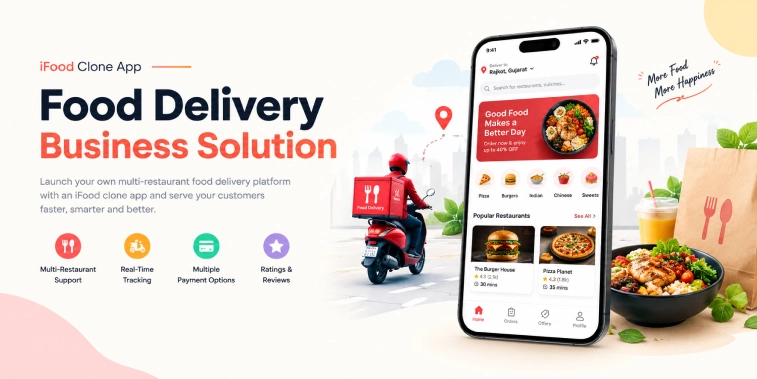
An iFood Clone App is a customizable food delivery marketplace designed to connect customers with restaurants and delivery partners through a single digital platform.
The platform can allow customers to search for nearby restaurants, browse menus, select food items, place orders, choose payment methods, receive order updates, and track deliveries.
For restaurants, the platform can provide tools to manage menus, receive orders, update preparation status, manage promotions, and monitor business activity.
Delivery partners can use a dedicated application to receive delivery requests, navigate to restaurants and customers, update delivery status, and monitor earnings.
An administrative dashboard connects these components and gives the business owner centralized control over the marketplace.
A complete food delivery platform can therefore include four major components.
Customer App
The Customer App provides the complete food ordering experience.
Customers can:
- Create an account
- Search restaurants
- Browse menus
- View food details
- Add items to a cart
- Apply offers
- Place orders
- Make payments
- Track deliveries
- View order history
- Rate restaurants and delivery partners
Restaurant Panel
The Restaurant Panel allows food businesses to manage their presence on the platform.
Restaurants can:
- Create and update menus
- Add food images and descriptions
- Set prices
- Receive new orders
- Accept or reject orders
- Update preparation status
- Manage operating hours
- View sales information
- Manage promotions
Delivery Partner App
The Delivery Partner App connects restaurants and customers with delivery professionals.
Delivery partners can:
- Register and complete verification
- Set availability
- Receive delivery requests
- Accept assignments
- Navigate to pickup locations
- Confirm order collection
- Navigate to customers
- Update delivery status
- View completed deliveries
- Track earnings
Admin Dashboard
The Admin Dashboard provides centralized management for the entire platform.
Administrators can manage:
- Customers
- Restaurants
- Delivery partners
- Orders
- Payments
- Commissions
- Promotions
- Service areas
- Reviews
- Reports
- Platform settings
This multi-sided structure is important because a food delivery marketplace depends on coordination between customers, restaurants, and delivery partners.
How Does an iFood Clone App Work?
A food delivery platform should make the ordering process simple while keeping restaurants and delivery partners informed throughout the order lifecycle.
1. Customer Registration
Customers can create an account using supported login methods and provide basic profile information.
The account can store delivery addresses, order history, payment preferences, and other relevant information.
2. Restaurant Discovery
Customers can search for restaurants based on location, cuisine, ratings, delivery time, price range, offers, and other available filters.
Location-based discovery helps the platform display restaurants that can serve the customer’s delivery address.
3. Menu Browsing
After selecting a restaurant, customers can browse its menu and view food names, descriptions, prices, images, customization options, and availability.
Restaurants can manage their menus through the restaurant panel.
4. Cart and Order Confirmation
Customers select food items and add them to the cart.
Before placing an order, they can review:
- Selected items
- Quantity
- Item price
- Delivery charges
- Applicable discounts
- Taxes or other applicable charges
- Final order amount
5. Payment
Customers can complete payment through the payment methods supported by the platform.
Depending on the business model and market, the platform can support online payment methods and other configured payment options.
6. Restaurant Receives the Order
The restaurant receives the order through its management interface.
Restaurant staff can review the order and update its status as it moves through the preparation process.
7. Delivery Assignment
If the platform provides delivery logistics, an available delivery partner can be assigned to the order based on factors such as location, availability, and delivery requirements.
Some food delivery marketplaces also allow restaurants to manage their own delivery operations.
This flexibility can be important for businesses because iFood itself offers different logistics models. Its current partner information describes both a model where restaurants handle their own deliveries and a delivery plan using delivery partners connected to iFood.
8. Pickup and Delivery
The delivery partner travels to the restaurant, collects the prepared order, and takes it to the customer’s delivery address.
Customers can receive status updates during the process.
9. Order Completion
After the order reaches the customer, the platform marks the delivery as completed.
Customers can then review the order, rate their experience, and access the completed order in their history.
This workflow creates a connected digital process from restaurant discovery to final delivery.
Types of Food Delivery Services
An iFood-style platform does not need to be limited to standard restaurant delivery. Businesses can select service categories according to their target market.
Restaurant Food Delivery
This is the core model where customers order meals from local restaurants and receive them at their chosen address.
Takeaway and Pickup
Platforms can also support orders where customers place an order online and collect it directly from the restaurant.
iFood’s developer documentation identifies delivery and takeout as distinct operating experiences for participating stores.
Grocery Delivery
Businesses can expand into grocery and everyday shopping by connecting customers with supermarkets and local stores.
iFood currently operates beyond restaurant food and connects customers with markets and other retail categories.
Pharmacy Delivery
A platform can add pharmacy delivery where permitted and appropriate under local laws and operating requirements.
Pet Store Delivery
Pet products can be another category within a broader local-commerce platform.
Local Store Delivery
Convenience stores, bakeries, specialty food shops, and other local businesses can be added to the marketplace.
The important principle is to expand only into categories that fit the target market instead of adding unrelated services simply to increase the platform’s feature list.
Key Features of an iFood Clone App
The quality of a food delivery platform depends heavily on how effectively it supports each participant in the marketplace.
Customer App Features
Restaurant Search
Customers should be able to find nearby restaurants using location-based search and relevant filters.
Cuisine and Category Filters
Filters can help users quickly discover restaurants based on cuisine, meal type, price range, ratings, delivery time, and other criteria.
Restaurant Profiles
A restaurant profile can display:
- Restaurant name
- Cuisine
- Menu
- Prices
- Images
- Ratings
- Reviews
- Operating hours
- Delivery information
- Available offers
Menu Customization
Customers can select variations, add-ons, quantities, and special instructions when supported by the restaurant.
Smart Cart
The cart should clearly show selected products, quantities, prices, fees, discounts, and the final amount.
Multiple Addresses
Customers can save frequently used delivery addresses for faster checkout.
Order Tracking
Real-time order status and delivery tracking can provide greater visibility after the order has been placed.
Push Notifications
Notifications can inform customers about:
- Order confirmation
- Restaurant acceptance
- Preparation
- Pickup
- Delivery progress
- Completion
- Offers
Ratings and Reviews
Customers can provide feedback on restaurants and eligible delivery experiences.
Restaurant Features
Restaurants need more than a simple order notification system.
Menu Management
Restaurants can add, edit, remove, or temporarily disable menu items.
Order Management
Restaurant staff can receive orders and update their status throughout preparation.
Availability Management
Restaurants can control operating hours and item availability.
Promotion Management
Businesses can create selected discounts and promotional campaigns where supported.
Sales Dashboard
Restaurants can review order volume, sales information, and other performance indicators.
Digital Order Management
The platform can centralize orders received through the marketplace and other supported channels.
iFood itself provides multiple acquisition and operating channels, including its marketplace, WhatsApp, digital menus, and other ordering experiences.
Delivery Partner Features
Delivery partners are a critical part of the food delivery ecosystem.
Delivery Request Management
Partners can receive available delivery requests and choose eligible assignments.
Availability Control
Delivery partners can indicate when they are available to receive delivery requests.
GPS Navigation
Integrated maps can help partners navigate between restaurants and customers.
Delivery Status Updates
Partners can update stages such as:
- Accepted
- Arriving at restaurant
- Order collected
- On the way
- Delivered
Earnings Tracking
Delivery partners can view completed deliveries and relevant earnings information.
Delivery History
A history section can help partners review previous delivery activity.
Admin Dashboard Features
The admin dashboard provides centralized control over the marketplace.
User Management
Administrators can manage customer accounts and relevant account activity.
Restaurant Management
The platform owner can approve restaurants, manage restaurant information, review service areas, and oversee marketplace participation.
Delivery Partner Management
Administrators can manage registrations, verification information, availability, and delivery activity.
Order Management
The dashboard can provide visibility into active, completed, cancelled, and disputed orders.
Commission Management
Business owners can configure marketplace commissions according to their selected commercial model.
Payment Management
Administrators can monitor transactions, settlements, refunds, and other payment-related activity.
Analytics and Reports
Reports can help business owners understand order volume, revenue, restaurant activity, customer behavior, and delivery performance.
Benefits of an iFood Clone App
A customizable food delivery platform can provide benefits across the entire marketplace.
Benefits for Customers
Customers can discover restaurants, compare menus, order food, make payments, track deliveries, and manage their order history from one application.
Benefits for Restaurants
Restaurants gain an additional digital sales channel that can help them reach customers beyond their physical location.
iFood describes its platform as an additional sales channel for partner restaurants and other businesses, while also offering logistics and business-support tools.
Benefits for Delivery Partners
Delivery partners can receive delivery opportunities through a centralized platform and manage their availability and earnings digitally.
Benefits for Entrepreneurs
Business owners can create their own branded marketplace and customize services, pricing, commissions, delivery areas, and operational rules.
This makes a clone solution useful not only for replicating an existing concept but also for creating a localized food delivery business model.
iFood Clone App Business Model & Revenue Streams
A food delivery platform can generate revenue through multiple sources.
Restaurant Commission
The platform can charge restaurants a percentage of eligible orders.
Delivery Fees
Customers can pay delivery charges based on factors such as distance, service type, location, or the platform’s pricing rules.
Platform or Service Fees
A platform can apply additional service charges where appropriate.
Featured Restaurant Listings
Restaurants can pay for promotional visibility within relevant areas of the marketplace.
Advertising
Businesses can offer sponsored placements or promotional campaigns to participating restaurants and brands.
Subscription Programs
A platform can introduce customer membership plans that offer benefits such as selected delivery discounts or promotional offers.
The exact combination should depend on customer demand, restaurant economics, local competition, and applicable regulations.
iFood Clone App Development Cost
The cost of developing an iFood Clone App depends on the scope and complexity of the platform.
Key factors include:
- Customer application
- Restaurant panel
- Delivery partner application
- Admin dashboard
- UI/UX customization
- Backend infrastructure
- Payment gateway integration
- Maps and GPS
- Push notifications
- Restaurant management
- Delivery management
- Analytics
- Third-party integrations
- Security
- Maintenance and updates
A platform with only restaurant ordering and basic delivery management will require a different investment from a larger marketplace supporting groceries, pharmacies, multiple delivery models, advanced analytics, loyalty programs, and financial services.
For this reason, businesses should define the required service categories and features before preparing a development budget.
Customization Options for an iFood Clone App
A white-label food delivery platform can be customized according to the target market.
Businesses can customize:
- Logo and branding
- Color scheme
- Restaurant categories
- Service areas
- Delivery zones
- Pricing rules
- Commission structure
- Payment methods
- Promotional campaigns
- Customer notifications
- Restaurant workflows
- Delivery partner rules
- Admin permissions
This makes it possible to create a platform that follows a business’s own operating model rather than simply reproducing another company’s application.
Conclusion
An iFood Clone App can provide businesses with a ready-made foundation for launching a branded food delivery marketplace.
The platform can connect customers with restaurants and delivery partners through a digital workflow covering restaurant discovery, menu browsing, ordering, payments, preparation, delivery, tracking, and reviews.
For restaurants, the platform can provide an additional sales channel and digital management tools. For delivery partners, it can provide delivery opportunities and tools for managing availability and earnings. For entrepreneurs, it offers the flexibility to create a customized business model based on local demand.
The strongest food delivery platforms are not simply ordering applications. They are connected ecosystems that combine customers, restaurants, delivery operations, technology, payments, and business management.
With the right feature set, service coverage, revenue model, and localized strategy, an iFood-style platform can provide a scalable foundation for entering the food delivery market.
Frequently Asked Questions (FAQs)
1. What is an iFood Clone App?
An iFood Clone App is a customizable food delivery platform that connects customers with restaurants and delivery partners. It can include restaurant discovery, menu browsing, online ordering, payments, delivery tracking, ratings, restaurant management, and an admin dashboard.
2. How does an iFood Clone App work?
Customers select a restaurant, browse its menu, add items to a cart, confirm the order, and complete payment. The restaurant prepares the food, a delivery partner collects it when applicable, and the customer can track the order until delivery is completed.
3. What features should an iFood Clone App include?
Core features can include restaurant search, menu management, cart and checkout, online payments, order tracking, notifications, ratings, restaurant management, delivery partner management, GPS navigation, commissions, and an admin dashboard.
4. How much does it cost to develop an iFood Clone App?
The cost depends on the number of features, platforms, customization requirements, payment and map integrations, restaurant and delivery management, backend infrastructure, and administrative tools. A detailed feature specification is required for an accurate development estimate.
5. Can an iFood Clone App support services beyond food delivery?
Yes. A platform can be expanded into categories such as grocery delivery, local stores, pharmacy delivery, pet products, and other local-commerce services where appropriate. The services should be selected according to the target market, customer demand, and applicable regulations.

Parth Kulkarni
Managing Director
Parth Kulkarni is the Managing Director with strong expertise in IT and on-demand app solutions, focused on empowering startups and enterprises with scalable digital products. His strategic leadership and business insight drive innovation, ensuring consistent client success and long-term growth.
