


Introduction
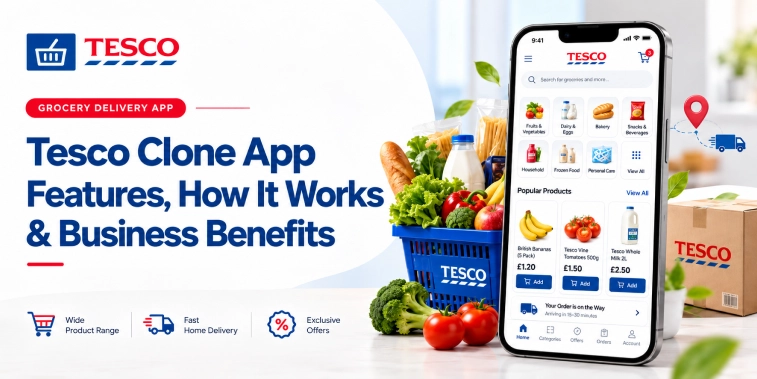
A Tesco clone app is a grocery delivery and shopping application inspired by the customer experience of major supermarket platforms. It allows users to browse products, add items to a digital basket, select delivery or collection options, make secure payments, and track order progress from a smartphone. For businesses, it provides a proven foundation for launching an online grocery marketplace without designing every function from the ground up.
The growing demand for convenient food shopping has made grocery apps an important sales channel for supermarkets, independent retailers, wholesalers, and local stores. Customers increasingly expect flexible delivery slots, accurate product information, digital payments, personalized offers, and reliable customer support. A well-designed Tesco clone app can bring these capabilities together in one scalable platform.
However, cloning a grocery app does not mean copying another company’s branding, content, interface, or proprietary technology. It means using a familiar business model and established feature set as a starting point, then adapting the platform to a company’s products, delivery network, pricing model, and target market. The result can be a branded grocery solution that is faster to launch and easier to customize than a completely new application.
What Is a Tesco Clone App?
A Tesco clone app is a ready-made or semi-customizable grocery commerce solution based on the core functionality of a large supermarket app. It normally includes separate interfaces for customers, store administrators, delivery personnel, and sometimes third-party sellers. These connected components allow the entire order journey to be managed digitally, from product discovery through to fulfillment and post-purchase support.
The customer-facing application is usually available for Android and iOS, while business owners manage products, prices, orders, promotions, customers, delivery zones, and reports through an administration dashboard. A driver or delivery partner app can show assigned orders, pickup details, route information, delivery instructions, and proof of delivery.
The platform can be built for several grocery models. A single supermarket may use it to support its own online store. A multi-vendor marketplace can allow several independent shops to sell through one app. A local retailer may use the same structure for scheduled grocery delivery within selected neighborhoods. The right configuration depends on the business strategy and operational resources.
Why Businesses Invest in Grocery Delivery Apps
Online grocery shopping solves a clear customer problem: people want access to everyday products without spending time travelling to a store, waiting at checkout, or carrying heavy bags. A mobile app makes repeat ordering especially convenient because customers can search for products, view past purchases, save favorites, and complete checkout within minutes.
The market also creates new opportunities for retailers. An app can extend a store’s trading hours, reach customers outside its immediate footfall area, and support sales during busy periods. It can also provide useful data about purchasing patterns, popular products, basket value, delivery preferences, and customer retention. These insights help businesses improve merchandising and marketing decisions.
A digital ordering channel may also reduce dependence on third-party marketplaces. While external platforms can provide quick access to customers, they may charge substantial commissions and limit control over customer relationships. An owned grocery app gives a retailer greater control over branding, customer communication, loyalty programs, and the overall buying experience.
How a Tesco Clone App Works
The shopping process begins when a customer downloads the application, creates an account, or continues with a permitted guest checkout option. The app can request a delivery address or location so it can display products and services available in that area. If the business operates delivery zones, the system can automatically check whether the customer is eligible for delivery or collection.
Customers can then browse departments such as fresh produce, bakery, dairy, frozen food, beverages, household items, personal care, and baby products. Search, filters, sorting tools, and category menus help users find items quickly. Each product page can display images, descriptions, pack sizes, prices, stock status, nutritional details, allergens, and available promotions.
After adding products to the basket, the customer reviews quantities, applies a voucher or loyalty reward, and selects a delivery slot or collection time. The platform calculates the order subtotal, taxes where applicable, delivery charges, discounts, and final total. Customers can pay through cards, digital wallets, online banking, cash on delivery where supported, or other regionally appropriate methods.
Once payment is confirmed, the order is sent to the store or fulfillment team. Staff pick and pack the items, update substitutions if products are unavailable, and prepare the order for collection or delivery. A driver can receive the job through a separate app, follow navigation instructions, and update the order status. The customer receives notifications as the order moves from confirmation to preparation, dispatch, and completion.
Essential Features of a Tesco Clone App
Customer Registration and Profiles
Customers should be able to register using an email address, phone number, or supported social login. A profile area can store names, delivery addresses, payment preferences, order history, saved products, and communication settings. Phone verification and secure authentication help reduce fraudulent activity while making account access convenient.
A good profile experience also supports multiple addresses, such as home, work, or a family member’s address. Customers may be able to set a default address, manage saved payment methods through a secure payment provider, and update notification preferences. These small conveniences make repeat purchases faster and reduce checkout abandonment.
Product Catalogue and Search
The catalogue is the foundation of the grocery application. Administrators should be able to create departments, subcategories, brands, product variants, pack sizes, product descriptions, images, prices, taxes, and stock information. The system should make it easy to update large numbers of products without requiring technical assistance for every change.
Search should support product names, brands, categories, dietary terms, and common spelling variations. Filters can include price, brand, dietary suitability, rating, promotion, availability, and pack size. For grocery businesses with a large catalogue, fast search and clear navigation are essential because customers are unlikely to complete an order if they cannot find basic items quickly.
Basket, Checkout, and Order Scheduling
The basket should display item quantities, product prices, applied discounts, delivery fees, and the final order total in a clear format. Customers should be able to increase or reduce quantities, remove products, save items for later, and review substitution preferences before payment. Transparent charges are important because unexpected fees are a major cause of abandoned baskets.
Scheduled delivery is particularly important for grocery purchases. The app can show available time slots based on delivery capacity, store preparation times, location, and current demand. Businesses may offer same-day delivery, next-day delivery, click and collect, or recurring delivery for selected products. Slot management helps balance customer convenience with operational efficiency.
Secure Payments and Digital Receipts
A Tesco clone app should integrate with trusted payment gateways rather than storing sensitive card details directly on the business’s systems. Supported methods may include debit and credit cards, mobile wallets, bank transfers, buy now and pay later services where suitable, and cash on delivery. Payment security should include encryption, tokenization, authentication, and fraud monitoring.
After a successful transaction, customers should receive a digital receipt through the app, email, or SMS. The receipt can include purchased products, substitutions, discounts, delivery fees, taxes, and the total paid. If a refund or partial refund is required, the system should record the adjustment and notify the customer clearly.
Order Tracking and Notifications
Order tracking gives customers confidence after checkout. Status updates can show that the order has been received, accepted, picked, packed, dispatched, and delivered. If driver location tracking is appropriate for the business model, customers may also see an estimated arrival time and a live map during the final delivery stage.
Push notifications, email, and SMS can be used for confirmations, delivery reminders, stock substitutions, payment updates, and promotional messages. Notifications should be relevant and controlled by customer preferences. Excessive promotional alerts can reduce engagement, while useful operational messages improve trust and reduce customer support inquiries.
Promotions, Loyalty, and Personalization
Discount codes, bundle offers, seasonal campaigns, new customer incentives, and free delivery promotions can help attract users and increase basket size. Administrators should be able to set campaign rules, start and end dates, eligible products, minimum order values, customer segments, and usage limits.
A loyalty program can reward customers for repeat purchases through points, cashback, member pricing, or exclusive offers. The app can also recommend products based on purchase history, recently viewed items, basket contents, and popular products in the customer’s area. Personalization should be helpful rather than intrusive, and businesses should handle customer data in line with applicable privacy requirements.
Customer Support and Feedback
Customer support features can include live chat, help articles, order issue reporting, call support, and frequently asked questions. Users may need assistance with late deliveries, missing items, damaged products, incorrect charges, substitutions, or refund requests. A support system connected to order records allows staff to investigate issues without asking customers to repeat basic information.
After an order is completed, the app can request ratings and written feedback. Customers may rate the product quality, delivery experience, packaging, and overall service. Management teams can review this information to identify recurring problems and recognise strong performance among stores or delivery partners.
Admin and Delivery Management Features
The administrator dashboard gives the business control over the commercial and operational sides of the application. Staff can manage products, categories, inventory, pricing, customer accounts, orders, delivery areas, promotions, payment records, and support requests from one system. Role-based permissions can limit access to sensitive information and prevent unauthorised changes.
Inventory management is essential because grocery products can sell out quickly and may have short shelf lives. The system can update stock quantities, mark items as unavailable, suggest substitutes, and support store-level inventory for businesses with multiple locations. Integration with point of sale or warehouse systems can reduce manual updates and improve availability information.
Delivery management tools can assign orders based on location, vehicle capacity, driver availability, delivery slot, and order priority. Drivers can receive route details, contact customers through controlled channels, upload delivery confirmation, and report problems. Businesses can use delivery performance data to analyse late orders, average delivery time, fuel usage, and coverage by area.
For a multi-vendor model, the platform may include vendor onboarding, store profiles, vendor dashboards, commission settings, payout management, product approval, and vendor performance reports. This allows a marketplace operator to connect local supermarkets, specialist food shops, convenience stores, and independent sellers within one customer application.
Business Benefits of a Tesco Clone App
Faster Market Entry
Developing a grocery app from the beginning can require extensive research, design, testing, development, security work, and infrastructure planning. A clone solution provides a tested starting structure with common grocery functions already identified. This can shorten the launch timeline, allowing the business to begin validating demand and collecting customer feedback sooner.
A faster launch does not remove the need for customisation or testing. Product data, payment flows, delivery rules, tax settings, privacy policies, and local regulations still need careful configuration. The advantage is that the business spends more time refining its market proposition and less time recreating standard commerce functions.
Lower Development and Operating Costs
A ready-made grocery app can reduce initial development expenses compared with a fully bespoke build. Reusable modules for registration, catalogues, checkout, notifications, payments, order management, and delivery tracking can lower engineering effort. Businesses can then allocate resources to branding, fulfilment, customer acquisition, and service quality.
The total cost of ownership should still be assessed carefully. Important factors include hosting, payment gateway charges, maintenance, app store fees, customer service, security updates, third-party integrations, delivery operations, and future feature development. A low initial price is not useful if the platform cannot scale or requires expensive changes later.
Stronger Customer Retention
Customers are more likely to reorder when the experience is fast, reliable, and tailored to their habits. Features such as favourites, previous orders, saved addresses, scheduled delivery, loyalty points, and relevant recommendations reduce the effort required for routine shopping. This convenience can improve purchase frequency and lifetime customer value.
An owned app also gives the retailer a direct communication channel. Businesses can inform customers about new products, seasonal ranges, local offers, delivery changes, or loyalty benefits. Communication should be permission based and useful so that customers associate the app with value rather than unwanted advertising.
Better Operational Visibility
Digital orders create a record of each stage of the fulfilment process. Managers can see which products sell most frequently, when demand peaks, which delivery slots are popular, and where orders are delayed. This information supports more accurate inventory planning, staffing, route planning, and promotional decisions.
Analytics can also reveal where customers leave the buying journey. For example, a retailer may discover that users abandon orders after seeing delivery fees, struggle to find products through search, or encounter payment failures. Fixing these points can improve conversion without requiring a large increase in marketing spend.
Scalable Expansion
A well-architected platform can support growth from one store to multiple branches, regions, or vendors. New delivery zones, payment methods, languages, currencies, product categories, and fulfilment models can be introduced as the business expands. Cloud infrastructure and modular software design can help the application handle increasing traffic and order volume.
Scalability must include operational planning, not just technical capacity. A business needs enough inventory, delivery staff, customer support resources, packaging, and quality controls to meet demand. A successful app can generate orders quickly, but customer satisfaction depends on the business’s ability to fulfil them consistently.
How to Build a Tesco Clone App
The first step is to define the business model and target customer. A single-store grocery app will require different workflows from a multi-vendor marketplace or a rapid delivery service. The business should identify its delivery radius, product range, ordering hours, average basket size, payment methods, refund policy, and fulfilment process before selecting a technology approach.
Next, the core user journeys should be mapped. These include registration, product search, basket management, checkout, slot selection, payment, order preparation, delivery, cancellation, substitution, refund, and support. User experience design should prioritise clear navigation, readable product information, fast loading, accessible controls, and minimal checkout friction.
The development team can then configure or build the customer app, admin panel, store interface, and driver application. Integrations may be required for payment gateways, maps, push notifications, inventory systems, accounting tools, customer relationship management software, analytics, and communication services. Each integration should be evaluated for reliability, security, cost, and regional availability.
Before launch, the application should undergo functional, usability, performance, security, and compatibility testing. Test orders should cover successful payments, failed payments, unavailable products, substitutions, refunds, cancelled orders, delayed deliveries, incorrect addresses, and high-demand periods. A limited pilot launch can expose operational problems before the app is promoted to a larger audience.
Technology and Security Considerations
The platform should use a maintainable architecture that supports mobile applications, web administration, APIs, databases, notifications, and third-party services. Businesses may choose native mobile development, cross-platform development, or a progressive web application depending on budget, performance requirements, and audience behaviour.
Security should be considered from the start rather than added after launch. Strong authentication, encrypted data transmission, secure API access, role-based permissions, logging, regular backups, vulnerability monitoring, and payment provider compliance are essential. Businesses must also provide transparent privacy information and manage customer data according to relevant laws and regulations.
Performance is equally important for conversion. Product pages should load quickly, search should respond promptly, and checkout should remain stable during peak demand. Image optimisation, caching, scalable hosting, database indexing, monitoring, and stress testing can help maintain a consistent experience as order volume grows.
Challenges to Consider
Grocery delivery involves more complexity than many other forms of online retail. Products can be perishable, prices may change, items may be sold by weight, and stock can vary between the catalogue and the physical store. The platform needs practical processes for substitutions, unavailable items, weighted products, damaged goods, refunds, and customer complaints.
Delivery economics can also be challenging. Small baskets, long distances, traffic, failed deliveries, and narrow delivery windows can reduce profitability. Businesses should calculate delivery charges, minimum order values, route density, driver costs, and packaging expenses before promising broad coverage or very fast delivery.
Competition is another consideration. A clone app provides a technical foundation, but it does not automatically create customer demand. The business still needs a clear value proposition, dependable product quality, competitive pricing, attractive promotions, strong local coverage, and responsive support. Brand identity and operational performance will determine whether customers continue using the app.
Conclusion
A Tesco clone app can help retailers and grocery entrepreneurs launch a modern online shopping service with established features for product discovery, digital ordering, secure checkout, scheduled delivery, loyalty, support, and business analytics. Its main value is the combination of familiar functionality, faster deployment, and the ability to adapt the platform to a specific business model.
To achieve strong results, businesses should treat the app as part of a complete grocery operation rather than as a standalone technology product. Accurate inventory, efficient fulfilment, dependable delivery, secure payments, clear communication, and helpful support are all essential. With the right planning and customisation, a Tesco style grocery platform can create a convenient customer experience while opening a scalable and data-driven sales channel.
Frequently Asked Questions (FAQs)
1. What Is a Tesco Clone App?
A Tesco Clone App is a customizable grocery and retail delivery solution inspired by the business model of Tesco, a British multinational grocery and general merchandise retailer. It can allow customers to browse products, add items to a cart, place orders, make payments, and track deliveries through a convenient digital platform.
2. How Does a Tesco Clone App Work?
A Tesco Clone App connects customers, store or inventory managers, delivery partners, and administrators through a centralized platform. Customers can search for products, place orders, and select payment and delivery options, while businesses manage products, inventory, orders, customers, and deliveries through dedicated dashboards.
3. What Are the Key Features of a Tesco Clone App?
Important features can include product search, category management, shopping cart, secure payments, order tracking, delivery management, customer accounts, offers and discounts, notifications, inventory management, and admin controls. Businesses can also add features based on their target market and operating model.
4. How Can a Tesco Clone App Help Grow a Grocery Delivery Business?
A Tesco Clone App can help businesses provide convenient online ordering, reach more customers, simplify order management, and support delivery operations through a centralized system. Features such as personalized offers, multiple payment options, order tracking, and customer management can also help improve the overall shopping experience and encourage repeat orders.
5. How Much Does It Cost to Develop a Tesco Clone App?
The cost depends on the required features, app platforms, UI/UX design, customization, payment integrations, inventory management, delivery functionality, and admin tools. A basic grocery delivery solution generally costs less than a highly customized platform with advanced automation, analytics, and multi-location support.

Parth Kulkarni
Managing Director
Parth Kulkarni is the Managing Director with strong expertise in IT and on-demand app solutions, focused on empowering startups and enterprises with scalable digital products. His strategic leadership and business insight drive innovation, ensuring consistent client success and long-term growth.
