


Introduction
The beauty, salon, spa, and wellness industries increasingly rely on digital tools to manage appointments, organize employees, and improve customer experiences. As customers prefer convenient online booking, businesses need a centralized system to handle schedules, service details, payments, and customer information. An all-in-one booking platform can bring these activities together and make daily operations easier to manage.
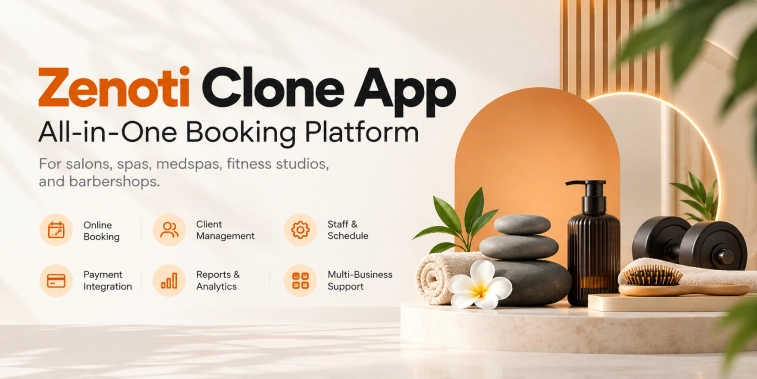
A Zenoti Clone App is a customizable booking and business management solution inspired by the operating model of integrated salon, spa, and wellness software platforms. It can help businesses manage appointments, maintain customer profiles, organize staff schedules, process payments, and monitor performance through a connected digital system. Entrepreneurs can adapt the platform to support individual service providers, multiple business locations, or a marketplace of beauty and wellness professionals.
This guide explores how a Zenoti Clone App works, its essential features, the benefits it offers, its business models, development costs, and the steps involved in launching an all-in-one booking platform.
What Is a Zenoti Clone App?
A Zenoti Clone App is a ready-made or customizable software solution designed to support appointment booking and business management for salons, spas, wellness centers, and related service providers. It combines customer-facing booking functionality with administrative tools that help businesses manage their services and daily operations.
Customers can use the platform to explore services, compare prices, choose professionals, check availability, and book appointments online. Business owners and employees can manage schedules, update service information, review bookings, and maintain customer records through dedicated dashboards.
The platform can be developed for different business models. A salon may use it to manage one location, while a wellness company may need centralized controls for several branches. Entrepreneurs can also develop a marketplace that connects customers with multiple independent service providers.
A clone app does not mean copying another company’s protected branding, interface, or proprietary software. It refers to developing a solution inspired by an existing business model or software category while using original branding and an appropriate design.
How Does a Zenoti Clone App Work?
An all-in-one booking platform connects customers, service professionals, business owners, and administrators through a coordinated workflow.
1. Customer Registration and Service Selection
Customers create an account or access the booking interface, depending on the platform’s settings. They can browse service categories such as hair styling, skincare, massages, spa treatments, and wellness sessions.
Each listing may include service descriptions, prices, estimated duration, location, and professional details. Search and filtering tools help customers find suitable services without contacting the business manually.
2. Appointment Booking
After selecting a service, customers choose their preferred location, professional, date, and available time slot. The booking system checks availability and applies the business’s scheduling rules before displaying suitable options.
When the customer confirms the appointment, the system records the booking and updates the schedule. This process helps reduce overlapping appointments and gives staff a clear view of upcoming visits.
3. Booking Confirmation and Reminders
The system sends a confirmation after a successful booking. Depending on the configured integrations, customers may receive updates through email, SMS, or push notifications.
Automated reminders can inform customers about upcoming appointments. If a booking is rescheduled or cancelled, the platform can notify the relevant customer and staff members.
4. Service Delivery and Payment
When the customer arrives, staff can access appointment details and update the booking status. After the service is completed, the business records the payment and updates the transaction history.
Depending on the business model, payments may be collected online, through a deposit, or at the service location. The platform can also support receipts, refunds, and applicable discounts.
5. Business Monitoring
Business owners can use a dashboard to review appointments, revenue, cancellations, staff schedules, and service performance. Multi-location businesses may compare results across different branches.
These reports help owners understand demand, identify operational issues, and make informed decisions about staffing and service offerings.
Key Features of a Zenoti Clone App
The features of a Zenoti Clone App should support a convenient customer experience and efficient business operations. The final feature set depends on the target industry, budget, and business requirements.
1. Customer Registration and Profiles
Customer profiles store relevant information such as contact details, appointment history, preferences, and saved information. This helps customers manage their bookings and allows authorized staff to access necessary appointment details.
Businesses should collect only the information they need and protect customer records through appropriate access controls.
2. Online Appointment Scheduling
Online scheduling is a core feature of an all-in-one booking platform. Customers should be able to select services, check available times, choose professionals, and confirm appointments through a simple interface.
The system should account for service duration, staff availability, business hours, and booking policies. Clear information about prices and cancellation terms helps customers make informed decisions.
3. Service and Price Management
Businesses need tools to create service categories, write descriptions, set prices, and update availability. They may also offer service combinations, add-on treatments, seasonal offers, or prepaid packages.
For example, a salon could offer a haircut and styling package, while a spa might provide a package containing multiple treatments. The platform should display package details and booking conditions clearly.
4. Staff Scheduling and Management
Staff management tools help businesses organize employee availability, working hours, breaks, leave, and service assignments. Managers can associate employees with services they are qualified to perform.
A well-designed scheduling system helps prevent conflicts and supports better allocation of staff and facilities.
5. Calendar and Booking Management
A centralized calendar provides an overview of appointments. Depending on their permissions, staff members can create bookings, reschedule visits, cancel appointments, and update service status.
Calendar views may be organized by employee, location, treatment room, or service type. These options are particularly useful for businesses managing multiple professionals.
6. Automated Notifications
Automated notifications keep customers and employees informed about booking events. These may include confirmations, reminders, cancellations, rescheduling updates, and post-appointment messages.
Businesses should be able to configure notification timing and content. Communication preferences and applicable consent requirements should be respected.
7. Online Payments and Billing
Payment integration enables customers to pay through supported payment methods. Depending on the business, the platform may support advance payments, deposits, full payments, or payments after a service.
Billing functionality may include receipts, invoices, transaction records, discounts, and refunds. Payment processing should use suitable providers and follow applicable security requirements.
8. Memberships and Loyalty Programs
Memberships and loyalty programs can encourage repeat visits. Businesses may provide member pricing, reward points, prepaid service packages, or benefits for returning customers.
For example, a wellness center could offer a monthly membership, while a salon could reward customers after a defined number of visits. Terms, expiry dates, and restrictions should be clearly communicated.
9. Customer Reviews and Feedback
Feedback tools allow customers to share their experiences after receiving a service. Businesses can use this information to identify areas for improvement and understand customer satisfaction.
If public reviews are supported, the platform should establish clear moderation rules and a fair process for handling inappropriate or disputed feedback.
10. Reports and Analytics
Reporting tools can track bookings, revenue, cancellations, repeat visits, service demand, and employee performance. Owners may filter reports by date, location, or service category.
Reliable reports help managers evaluate business performance, but the underlying data must be accurate and consistently recorded.
Essential Panels in a Booking Platform
An all-in-one booking solution typically includes different interfaces for customers, staff, and administrators.
Customer App or Booking Website
The customer interface allows users to browse services, compare prices, choose appointments, manage bookings, and make payments. It should be responsive, easy to navigate, and suitable for mobile devices.
A responsive website may be sufficient for an initial launch. A dedicated mobile application can be introduced when customer demand and business goals justify the investment.
Staff Panel
The staff panel helps employees view their schedules, access appointment details, manage availability, and update service status. Permissions should ensure that staff members can access the information needed for their responsibilities without receiving unrestricted access to business records.
Business Owner Dashboard
The owner dashboard supports daily management activities. Business owners can manage services, prices, employee schedules, appointments, transactions, and reports.
For businesses operating several locations, centralized controls can help maintain consistent service information and simplify branch-level monitoring.
Super Admin Panel
A super admin panel is useful when the platform operator serves multiple businesses. It may manage provider accounts, subscription plans, platform settings, permissions, support requests, and system activity.
A single salon may not require a separate super admin layer. The platform architecture should reflect the intended operating model rather than adding unnecessary complexity.
Business Models for a Zenoti Clone App
A Zenoti Clone App can generate revenue through different models depending on whether the platform sells software to businesses or operates a consumer-facing booking marketplace.
1. Subscription-Based Model
Under a subscription model, salons, spas, and wellness businesses pay recurring fees to use the software. Pricing may depend on the number of staff accounts, locations, bookings, or available features.
Recurring subscriptions can provide predictable revenue when customers continue using the platform. Pricing should reflect the value delivered and account for ongoing support and maintenance costs.
2. Tiered Pricing Plans
A platform can offer different plans to serve businesses of varying sizes. A basic plan may include appointment booking, service management, and customer profiles. Higher plans could include multi-location management, advanced reports, integrations, and automation.
Clear plan comparisons help customers choose the features that suit their requirements.
3. Setup and Customization Fees
Businesses may require help configuring services, importing data, training employees, or adapting workflows. A platform provider can charge an implementation fee for these services.
Custom development may also generate revenue when clients request specialized integrations or features. The scope and delivery expectations should be documented before work begins.
4. Booking Commissions
A marketplace platform may charge a commission on completed appointments booked through the service. The commission structure depends on provider agreements, service categories, and the booking model.
This approach requires customer demand and sufficient value for participating businesses. Payment reconciliation, cancellation rules, and commission terms should be transparent.
5. Premium Features
Optional paid features can include advanced analytics, marketing automation, additional locations, enhanced reporting, and premium support.
These upgrades allow businesses to begin with essential functionality and pay for additional capabilities as their needs grow.
Benefits of a Zenoti Clone App
An integrated booking platform can provide practical advantages for service providers and customers.
Convenient Customer Booking
Customers can explore services and book appointments without relying entirely on phone calls or in-person visits. Online availability and confirmation messages make the process more convenient.
Customers can also manage upcoming appointments and review their booking history through the platform.
Reduced Administrative Work
Centralized schedules, automated reminders, and digital records can reduce repetitive tasks. Staff may spend less time coordinating appointments manually and more time assisting customers.
Actual efficiency gains depend on how well the software fits the business’s existing workflows.
Better Appointment Coordination
A shared scheduling system improves visibility into staff availability and upcoming bookings. Automated availability checks help reduce scheduling conflicts and make it easier to manage appointment changes.
Businesses should still be able to handle unexpected staff absences, closures, and other exceptions.
Improved Customer Relationships
Customer profiles and appointment histories can help businesses understand repeat visits and service preferences. With appropriate consent, businesses can use this information for relevant reminders and promotions.
Customer information should be handled responsibly and used only for communicated purposes.
Centralized Business Insights
Dashboards can help owners review revenue, cancellations, appointment trends, and service performance. Multi-location operators can compare branch performance and identify areas that need attention.
These insights support decision-making but should be evaluated alongside customer feedback and operating expenses.
Support for Business Expansion
A scalable booking platform can help businesses introduce new services, employees, or locations without creating separate administrative processes for every branch.
However, software alone does not guarantee growth. Expansion also depends on service quality, customer demand, staffing, and financial planning.
Security and Data Privacy
A booking platform may handle customer contact details, appointment histories, staff information, and payment-related records. Protecting this information is essential for maintaining customer trust.
Security measures should include encrypted connections, secure authentication, role-based permissions, and careful management of administrative access. Software dependencies should be maintained and updated to address known vulnerabilities.
Payment processing should use appropriate providers and follow applicable security requirements. Sensitive payment information should not be stored unnecessarily.
Businesses should also establish backup procedures, data retention policies, incident response plans, and processes for handling relevant privacy requests. Privacy notices should explain what data is collected and how it is used.
Security requires ongoing maintenance, monitoring, testing, and staff awareness rather than a one-time implementation.
Cost of Developing a Zenoti Clone App
The cost of developing a Zenoti Clone App depends on feature complexity, supported platforms, integrations, customization, design, and the development team’s experience.
The major cost factors include:
- UI/UX design: Research, user flows, wireframes, and interface design.
- Customer booking system: Service discovery, scheduling, profiles, and booking management.
- Business dashboard: Staff scheduling, service configuration, and reports.
- Backend development: Booking rules, account management, permissions, and business logic.
- Integrations: Payments, messaging, calendars, and other external services.
- Testing: Functional, compatibility, performance, and security testing.
- Deployment and maintenance: Hosting, updates, monitoring, and technical support.
A ready-made solution may reduce initial development time if it already supports the required workflows. However, licensing, customization, integration, and ongoing maintenance costs should be included in the budget.
Before requesting a quotation, define the target market, business model, required features, number of locations, supported platforms, and launch timeline. Ask developers to separate initial development expenses from recurring operating costs so that proposals can be compared fairly.
Steps to Launch an All-in-One Booking Platform
1. Research the Target Market
Identify whether the platform will serve salons, spas, wellness centers, beauty clinics, or independent professionals. Each group may have different scheduling requirements, staffing arrangements, and pricing needs.
Talk to prospective customers and examine their existing booking processes to identify problems the platform can solve.
2. Choose a Business Model
Decide whether to offer software subscriptions, setup services, premium features, marketplace commissions, or a suitable combination.
The business model influences pricing, platform functionality, customer acquisition, and ongoing support requirements.
3. Define the Initial Features
Start with essential workflows such as service listings, appointment availability, booking confirmations, staff scheduling, and basic administration.
Advanced analytics and additional integrations can be introduced after the core product has been tested with real users.
4. Select a Development Approach
Compare custom development with a configurable or ready-made solution. Custom development offers greater control but may require more time and investment. A ready-made platform can accelerate launch if it supports the necessary features and provides reliable maintenance.
Review customization limits, documentation, ownership terms, support arrangements, and future costs before making a decision.
5. Test the Booking Experience
Test appointment creation, availability checks, rescheduling, cancellations, notifications, and payment workflows. Check how the system handles conflicting booking requests and failed transactions.
Resolve critical issues before onboarding paying customers.
6. Onboard Initial Businesses
Start with a manageable group of businesses and help them configure services, staff schedules, prices, and booking policies. Provide training and a clear way to report problems.
Early feedback can help identify missing features and improve the product before broader expansion.
7. Promote and Improve the Platform
Reach prospective customers through search-optimized content, demonstrations, business partnerships, and targeted marketing. Explain the platform’s practical benefits without making unsupported claims.
After launch, monitor completed bookings, cancellations, customer feedback, subscription retention, and system reliability. Use these findings to prioritize improvements.
Conclusion
A Zenoti Clone App can provide a foundation for an all-in-one booking and business management platform for salons, spas, wellness centers, and related service providers. By combining appointment scheduling, staff management, customer profiles, payments, notifications, and reporting, the platform can simplify business operations and improve booking convenience.
Entrepreneurs should begin by identifying their target market, choosing a sustainable business model, and defining the essential features. Careful development planning, secure data handling, realistic budgeting, and thorough testing can help establish a reliable product.
Starting with a useful core booking experience and expanding according to customer feedback can reduce unnecessary complexity. A clear value proposition, dependable technology, and responsive support can help the platform build lasting relationships with businesses.
Frequently Asked Questions (FAQs)
1. What Is a Zenoti Clone App?
A Zenoti Clone App is a customizable booking and business management solution inspired by integrated salon, spa, and wellness software platforms. It can support appointment scheduling, customer profiles, staff management, payments, notifications, and reporting.
2. What Features Should an All-in-One Booking Platform Include?
Essential features include online appointment booking, service and price management, staff scheduling, customer profiles, automated reminders, payment integration, and an administrative dashboard. Depending on business needs, it may also include memberships, loyalty programs, analytics, and multi-location management.
3. How Does a Zenoti Clone App Generate Revenue?
A Zenoti Clone App can generate revenue through recurring subscriptions, tiered pricing plans, setup and customization fees, premium features, and booking commissions when operating as a marketplace. The best model depends on target customers, operating costs, and the value provided.
4. How Much Does It Cost to Develop a Zenoti Clone App?
Development costs depend on the required features, supported platforms, design complexity, integrations, and customization. A basic booking solution generally costs less than a multi-location platform with advanced analytics and automation. A detailed project scope is necessary for an accurate estimate.
5. How Can Entrepreneurs Launch an All-in-One Booking Platform?
Entrepreneurs should research their target market, select a business model, prioritize essential booking features, and choose a suitable development approach. They should test core workflows, onboard initial businesses, promote the platform, and use customer feedback to guide future improvements.

Parth Kulkarni
Managing Director
Parth Kulkarni is the Managing Director with strong expertise in IT and on-demand app solutions, focused on empowering startups and enterprises with scalable digital products. His strategic leadership and business insight drive innovation, ensuring consistent client success and long-term growth.
